Client CRM
Live
Location search & filtering
Filter clients and candidates by location in seconds with accurate, structured data.
Location search & filtering feature review
Location Search & Filtering is built for recruiters who need reliable geographic targeting without messy data. It uses LocationIQ to provide fast and accurate address search, then automatically breaks that data into structured fields such as country, state, county, city, postcode, and full address.
Every search result is cached to improve speed and consistency across your team, reducing repeated lookups and keeping performance smooth even at scale.
Location data is stored directly on both clients and contacts, making it easy to filter databases, segment pipelines, and quickly identify candidates or companies in specific regions.
Instead of relying on inconsistent free-text addresses, you get clean, standardized location data that works across your entire CRM.
Location search & filtering key benefits
1
Accurate Location Targeting
Use structured fields like city, postcode, and country to filter clients with precision. This reduces irrelevant results and speeds up shortlisting.
2
Faster Search and Shortlisting
Quickly find candidates near a job location or clients within a target region without manual sorting or guesswork.
3
Reliable Performance at Scale
Built-in caching reduces repeated API calls, improving speed and ensuring consistent results across high-volume recruitment workflows.
Jump on a quick demo call to see how this, and many other features, can save you time and help you grow your agency.

FAQs
Can I search clients by city or postcode?
Yes. You can search and filter clients using multiple location fields, including postcode, city, county, and country.
How accurate is the location data?
Location data is powered by LocationIQ and stored in structured fields, ensuring consistent and reliable results across your CRM.
Can I edit location details manually?
Yes. All location fields can be edited, giving you full control when handling edge cases or custom territory setups.
Why is structured location data important for recruiters?
Structured data allows precise filtering, faster searches, and better candidate-to-role matching compared to unstructured address text.
Location search & filtering: How-to guide
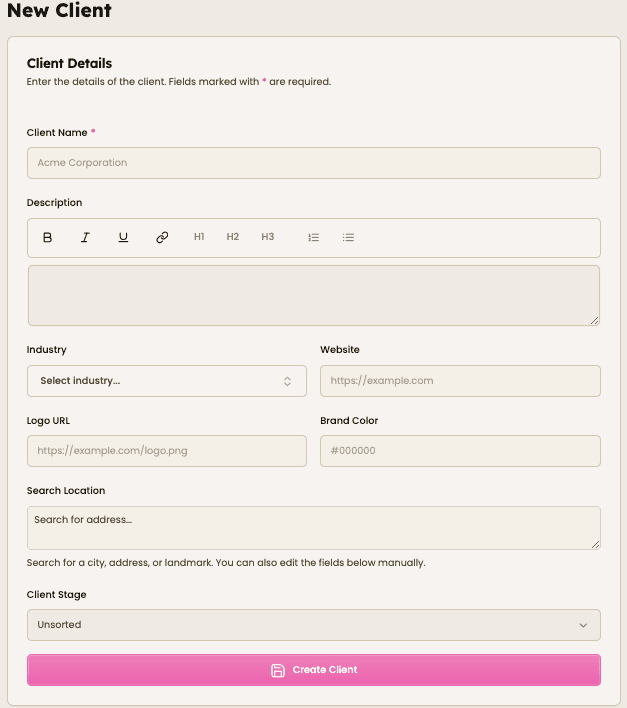
1. Create a Client or Contact
Start by adding a new client or contact. You will see a “Search Location” field within the form.

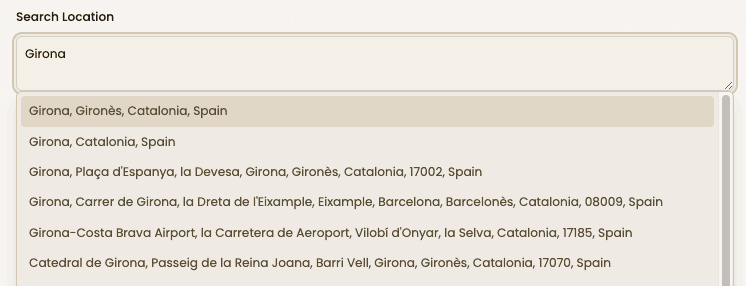
2. Enter a Location
Type a city, postcode, or full address. Relevant suggestions will appear instantly as you type.

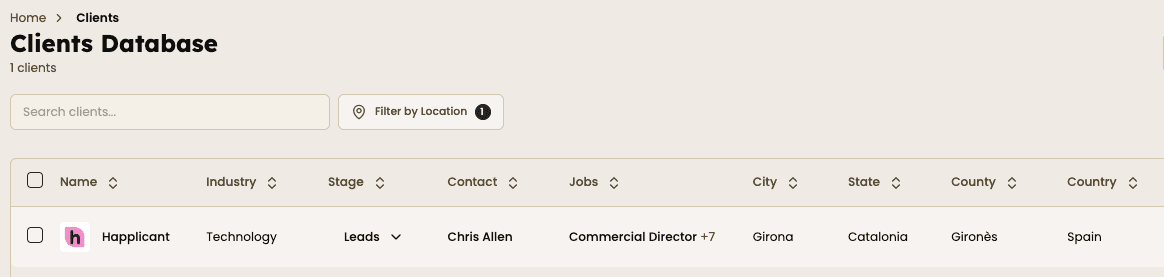
3. Select the Correct Result
Choose the correct address from the list. The system will automatically populate all related location fields.

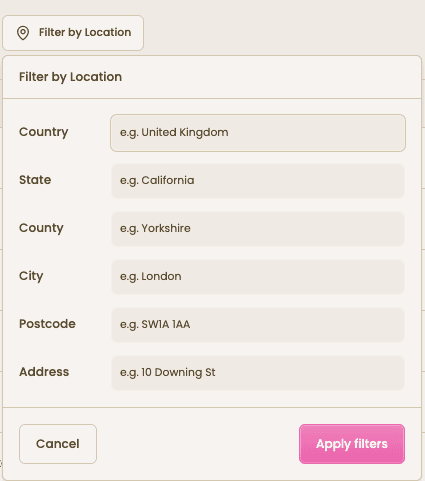
4. Apply Location Filters
Go to your Clients or Contacts database and use “Filter by Location” to narrow down results using one or more fields.


Feeling stuck or unsure how to begin?
Our friendly support team is here to guide you through every step. Just drop us a line: support@happlicant.com