Client CRM
Live
Client portals
Give your clients a dedicated portal with controlled, real-time access to shortlisted candidates and job progress. Help them make faster, more informed hiring decisions with full transparency.
Client portals feature review
Happlicant client portals are designed for independent recruiters and small agencies that want a more professional and efficient way to work with clients. Each portal is fully branded and gives you complete control over what your clients can see.
Choose which candidates and jobs are visible with simple toggles, and tailor access based on each client relationship. You can share resumes in their original format or present them using a clean, standardized version based on your agency’s template.
Clients log into their portal to review active roles, track candidate progress, and explore detailed profiles. They can leave feedback, add notes, and download resumes instantly, all in one place.
By keeping everything centralized, you reduce email overload, speed up feedback cycles, and create a smoother hiring experience. More importantly, you position yourself as a strategic recruitment partner, not just someone sending CVs.
Client portals key benefits
1
Streamlined communication
Keep all client feedback, notes, and candidate updates in one place. This reduces email back-and-forth and helps move hiring decisions forward faster.
2
Controlled client access
Decide exactly what each client can see. Show only relevant candidates and roles while maintaining full control over sensitive information.
3
Professional client experience
Deliver a clean, branded portal that reflects your agency’s quality. Give clients a structured and easy way to review candidates and collaborate with you.
Jump on a quick demo call to see how this, and many other features, can save you time and help you grow your agency.

FAQs
What is a client portal in recruitment?
A client portal is a secure, shared workspace where recruiters present shortlisted candidates, share resumes, and collect feedback. It gives clients real-time visibility into hiring progress without relying on email updates.
How do clients access the portal?
Clients access the portal through a unique link and a secure passcode. There is no need for them to create an account, which makes it quick and easy to get started.
Can I control which candidates and documents my client sees?
Yes. You have full control over visibility. You can choose which candidates appear in the portal and decide exactly which resumes and documents are available to each client.
Can clients leave feedback and ratings inside the portal?
Yes. Clients can rate candidates, leave notes, and update their decisions directly in the portal. This helps you collect feedback faster and keep everything organized in one place.
Is the client portal secure?
Yes. Each portal is protected by a unique URL and passcode. You control access at all times, ensuring that candidate data and client information remain confidential.
Client portals: How-to guide
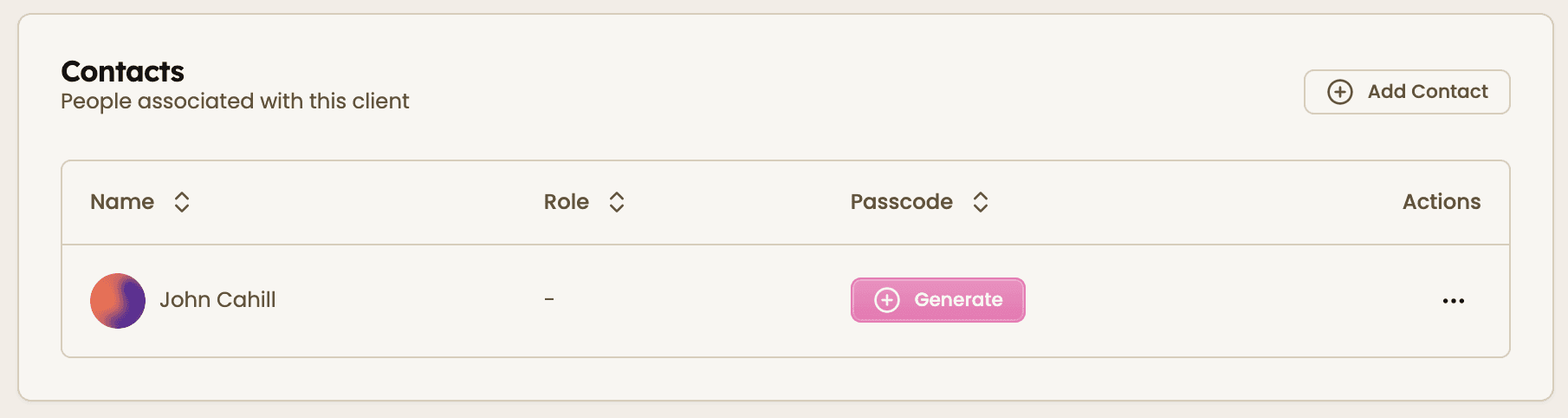
1. Add client contacts
Add the people who will access the portal. Generate secure passcodes for each contact so they can log in safely.
2. Share the client portal link
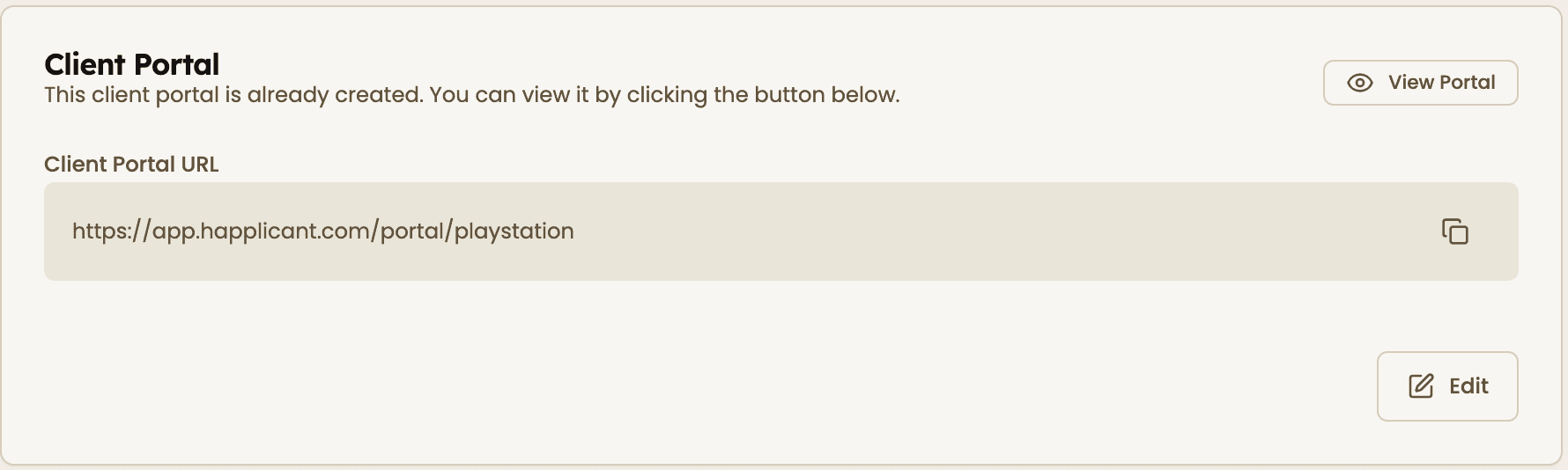
If this is your first time setting up a client portal, choose a unique URL slug for your client (for example, youragency/clientname) and click save. Your portal will be created instantly.
Once created, copy the portal link and share it with your client so they can access their workspace.
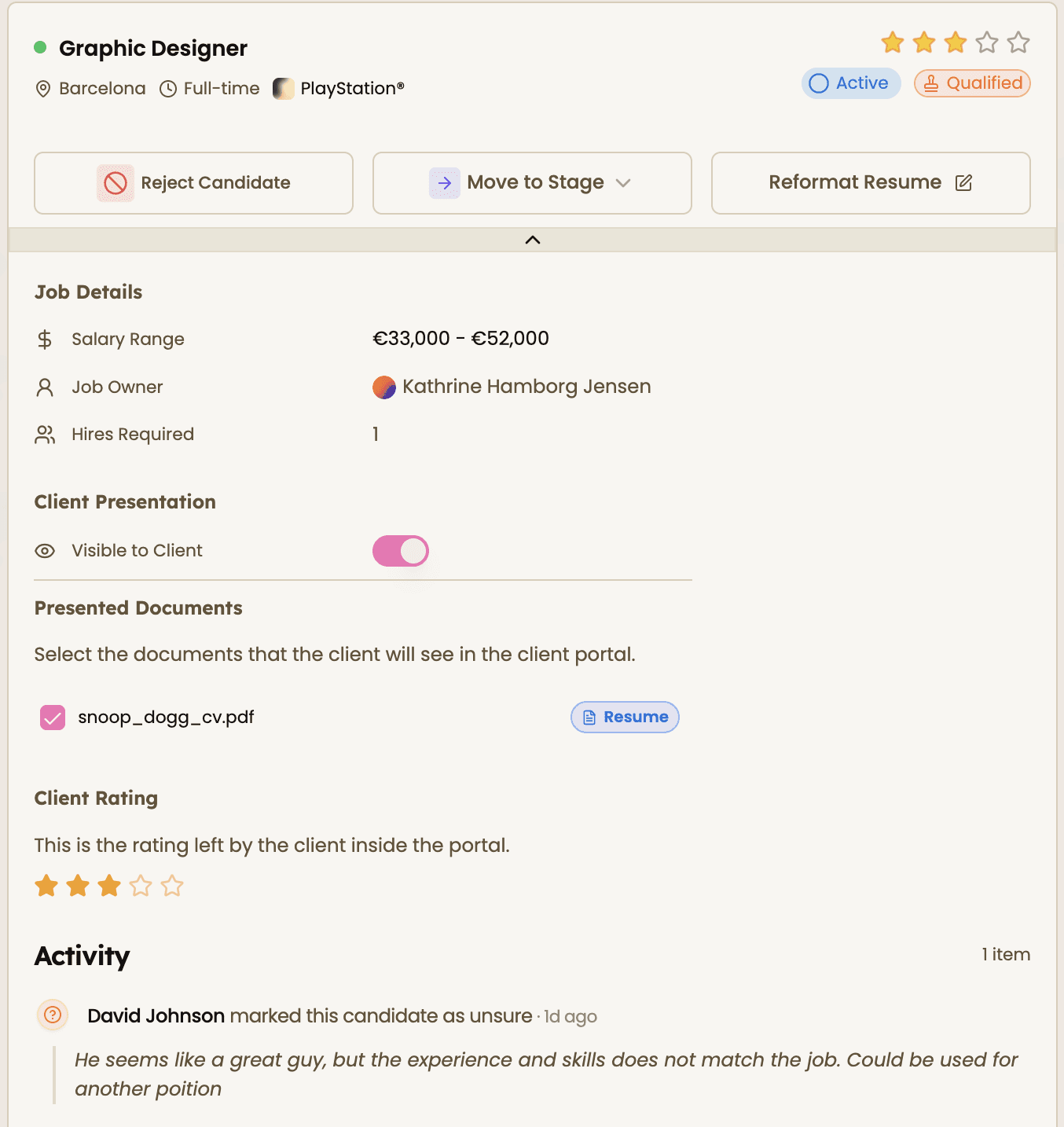
3. Manage candidate visibility, documents, and feedback
Select which candidates are visible to the client by toggling visibility on. Within each candidate profile, choose which resumes and documents to share.
You can also track client ratings, decisions, and notes in the same view, giving you a complete overview of how each candidate is performing.
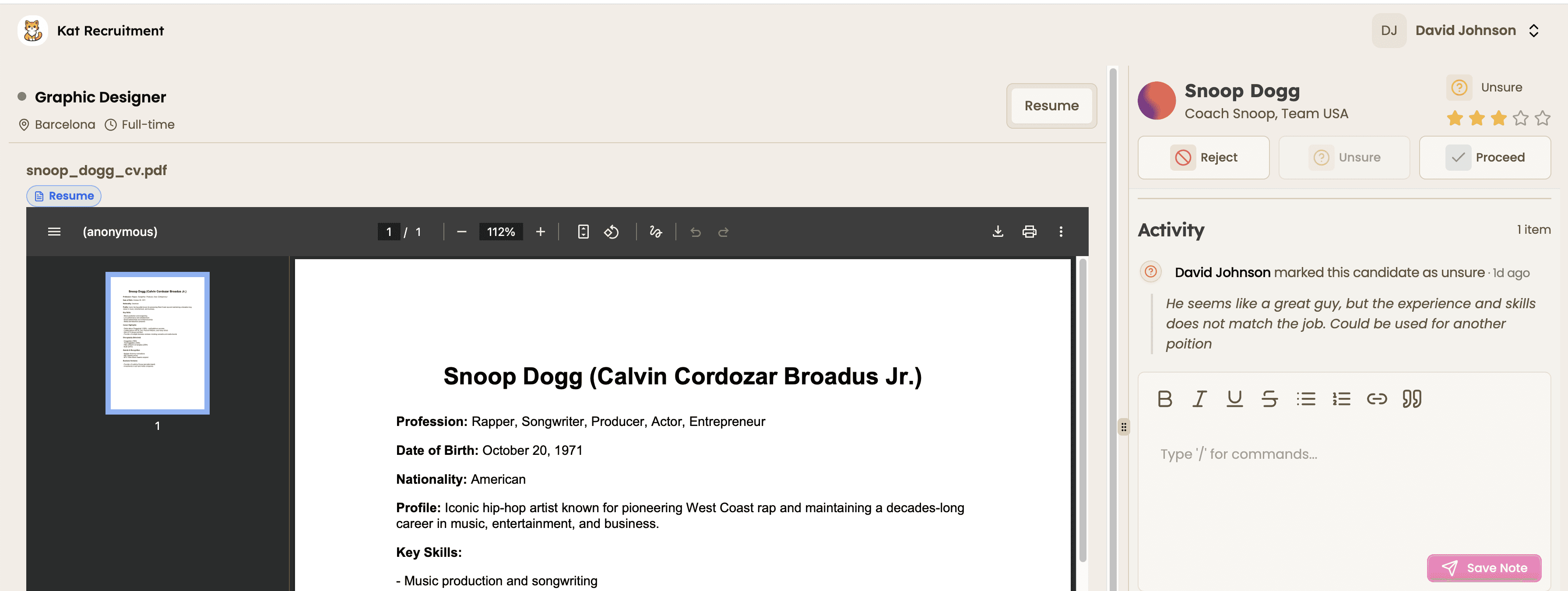
4. What your clients see
Clients log into their portal to view shortlisted candidates, review resumes, and track progress for each role.
They can rate candidates, leave notes, and update their decisions directly in the portal, helping you move faster and stay aligned without long email threads.
Feeling stuck or unsure how to begin?
Our friendly support team is here to guide you through every step. Just drop us a line: support@happlicant.com