Jobs
Live
Application pages
Manage your application pages with ease. Save, edit, and duplicate them quickly to support faster, more effective hiring with your recruitment agency software.
Application pages feature review
Happlicant gives independent recruiters the tools to build and manage application pages that fit each role and client. Save custom pages that reflect your brand and job requirements, and update them whenever needed.
Make edits in real time to improve clarity, remove friction, and increase completion rates. Small changes can lead to stronger applications and better-qualified candidates.
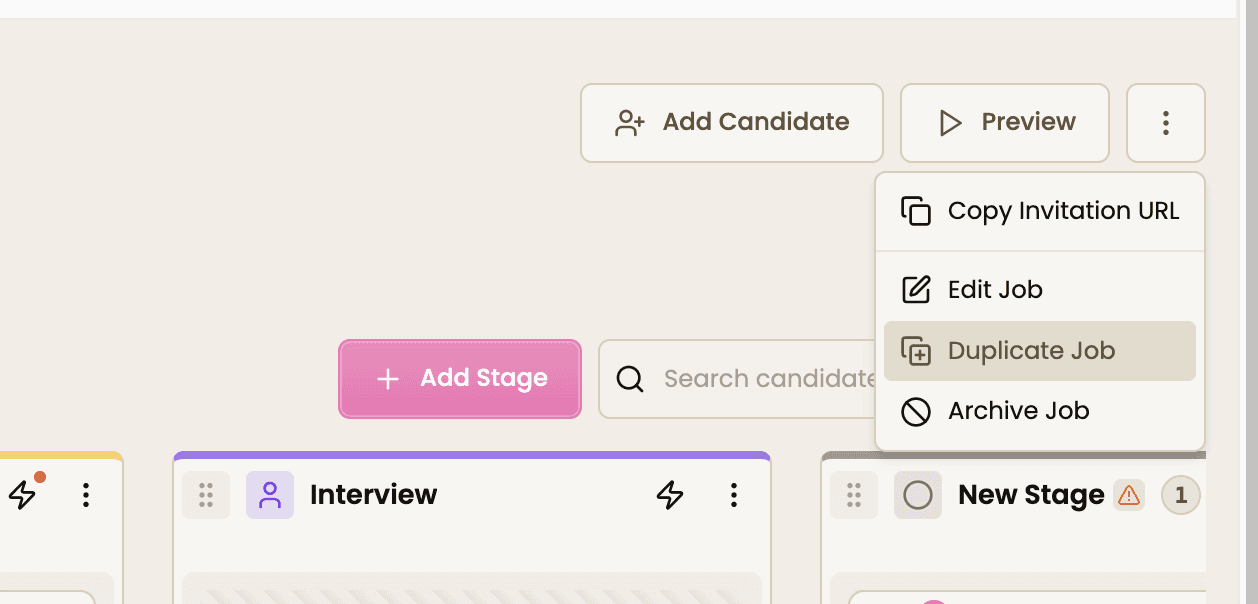
Duplicate high-performing application pages to reuse what already works. This helps you scale faster across multiple roles without starting from scratch.
Preview the candidate experience before publishing. See exactly how applicants move through your form and adjust where needed to improve flow and engagement.
Create and share unique job links for every role. This keeps your messaging consistent across job boards, emails, and outreach while making tracking easier.
A clear and well-structured application process attracts stronger candidates and builds trust in your recruitment brand.
Application pages key benefits
1
Boosted Productivity
Save, edit, and duplicate application pages in a few clicks. Spend less time on setup and more time speaking with candidates.
2
Enhanced Candidate Experience
Preview your application flow from a candidate’s perspective. Make quick improvements that lead to higher completion rates.
3
Consistent Brand Presence
Share job links that reflect your brand and messaging. Keep every touchpoint aligned across all hiring channels
Jump on a quick demo call to see how this, and many other features, can save you time and help you grow your agency.

FAQs
How do I create a job application page for recruitment?
You can create a job application page by setting up a new job, adding key details, and configuring application fields. This allows recruiters to build structured, role-specific application forms in minutes.
Can I customize the hiring pipeline with a Kanban view?
Yes. You can fully customize your Kanban hiring pipeline by adding and editing stages that match your recruitment workflow. This helps recruiters track candidates more clearly at every stage.
What happens to the Kanban pipeline when I duplicate a job?
When you duplicate a job, the entire Kanban pipeline, including all stages, is copied over. This lets recruiters reuse proven workflows and save time when managing similar roles.
How can I improve candidate experience on application pages?
You can improve candidate experience by simplifying required fields, adding relevant questions, and previewing the application flow. A clear and easy process increases completion rates and attracts better candidates.
How do I share a job application page with candidates?
Each job generates a unique application link that you can share across job boards, email campaigns, and direct outreach. This keeps your hiring process consistent and easy to access.
Application pages: How-to guide
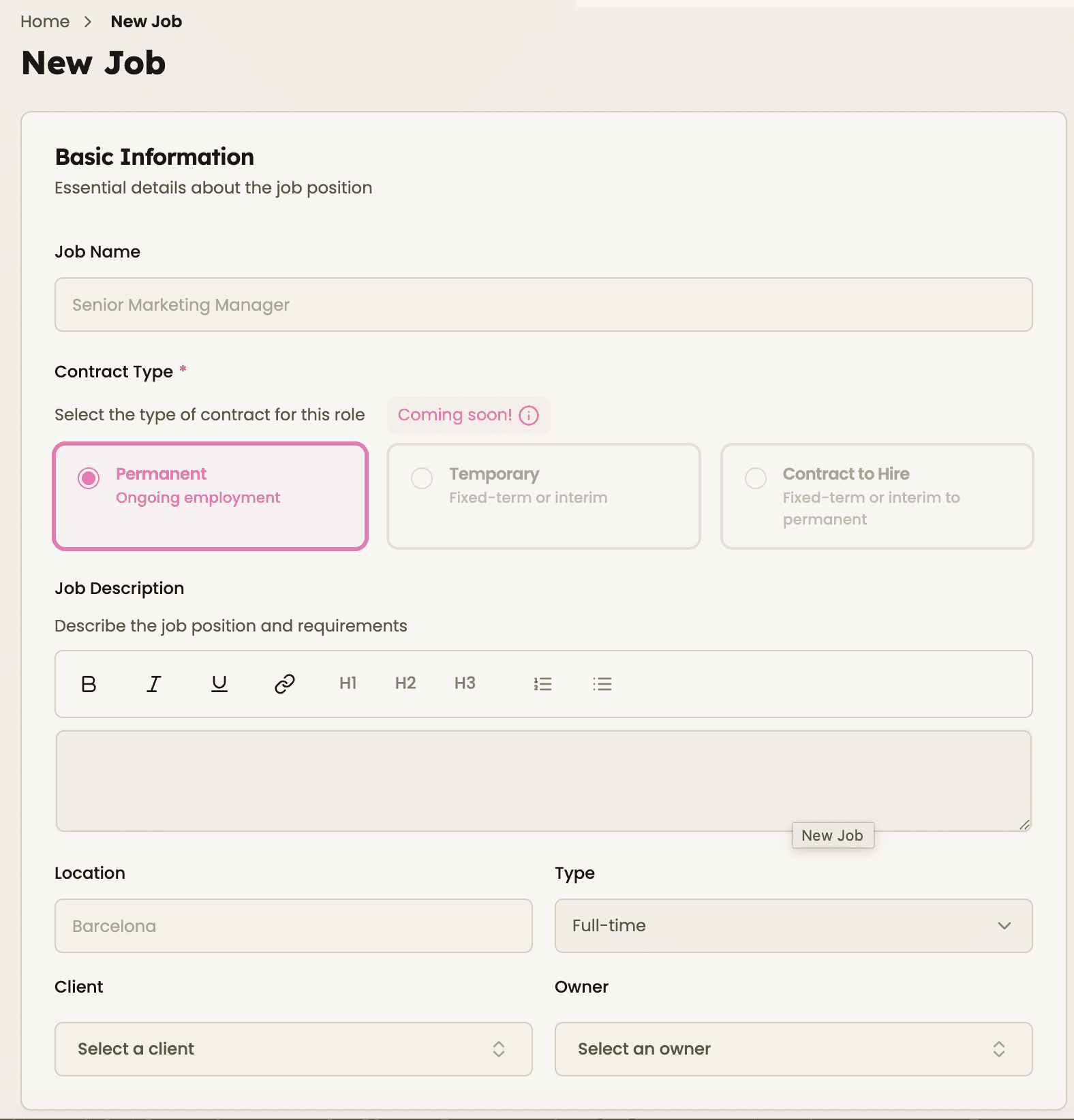
1. Create a New Job and Application Page
Start by setting up a new job. Add the job title, description, and key details such as location, contract type, and salary.
This forms the foundation of your application page.

2. Configure Application Fields
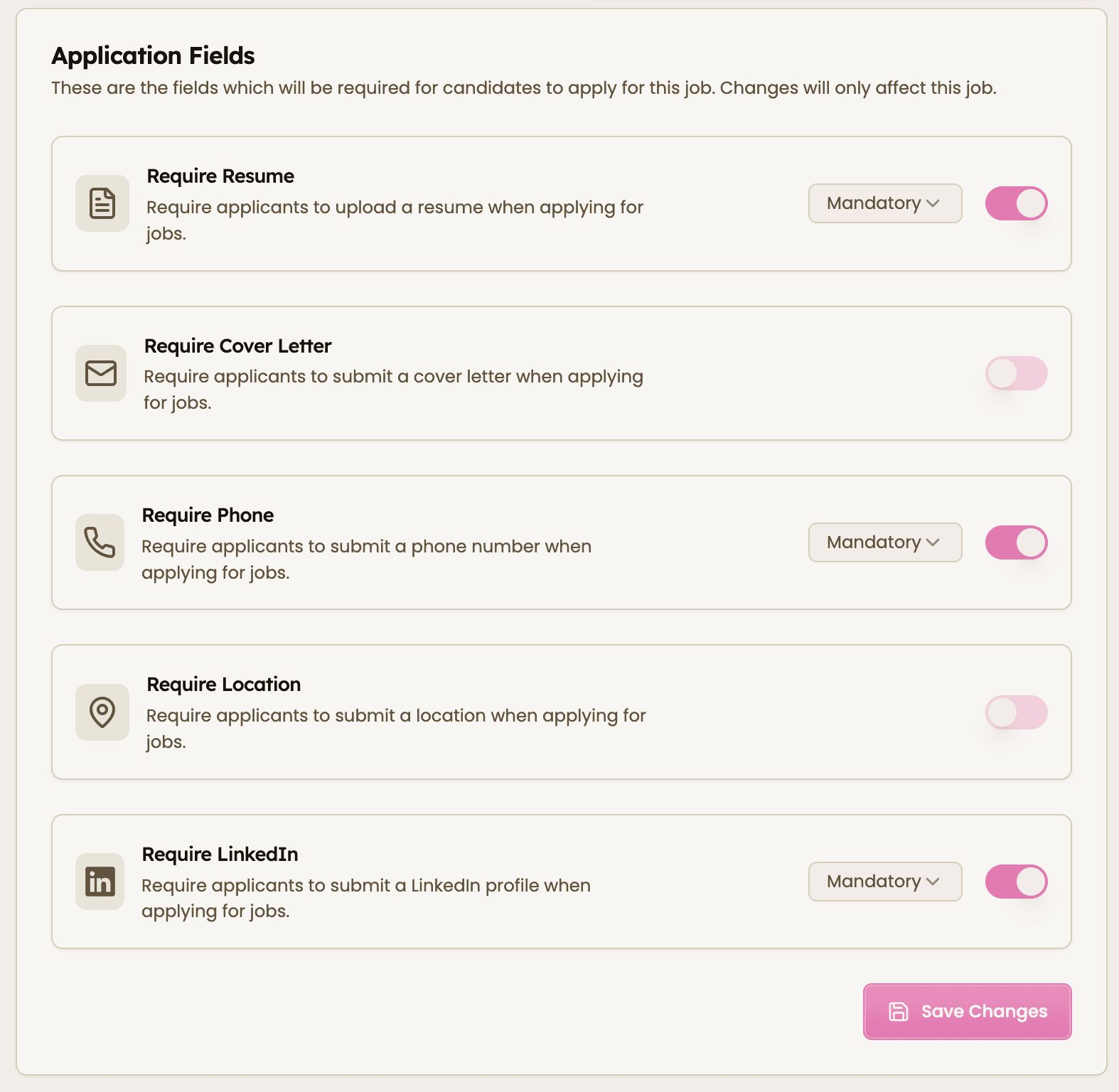
Choose which fields candidates must complete. Enable or disable options like resume, phone number, location, or LinkedIn profile.
Set fields as mandatory only when necessary to keep the process smooth.

3. Add Custom Questions
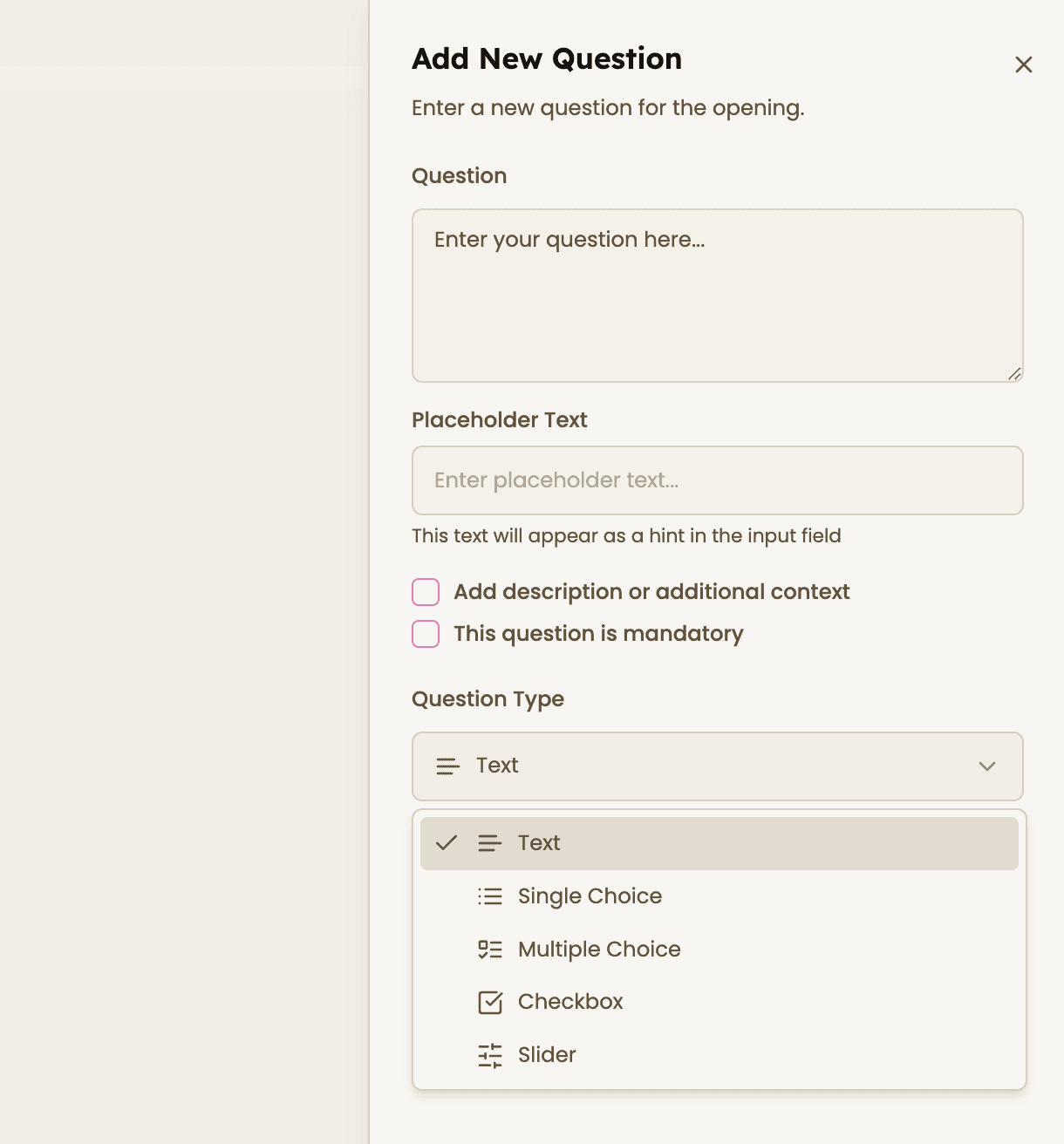
Include tailored questions to qualify candidates early. Select from text, single choice, multiple choice, checkbox, or slider formats.
Use this to filter candidates based on skills, experience, or availability.

4. Customize Your Kanban Pipeline
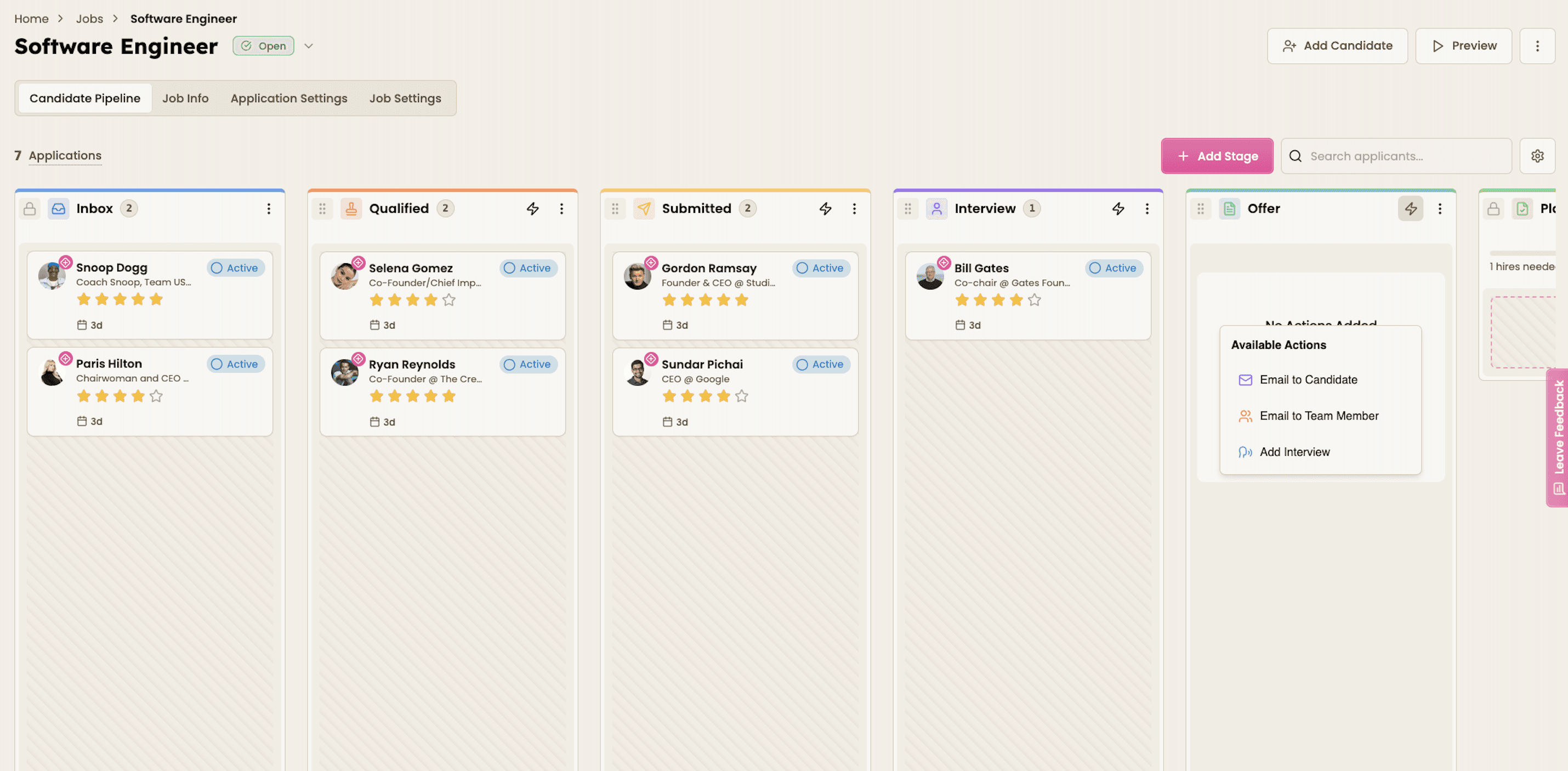
Set up your Kanban view to match how you manage candidates. Add, rename, or reorder stages such as Qualified, Interview, and Offer to reflect your workflow.
When you duplicate a job, your full pipeline setup is copied as well. This means you can reuse a proven hiring structure without rebuilding it each time, saving valuable time.

5. Preview, Save, Duplicate, and Share
Preview your application page to see exactly what candidates experience. Make any final adjustments, then save your setup.
Duplicate the job to reuse both the application page and Kanban pipeline for similar roles. Share your unique job link across job boards, emails, or directly with candidates.


Feeling stuck or unsure how to begin?
Our friendly support team is here to guide you through every step. Just drop us a line: support@happlicant.com