Insights
Live
Revenue & fee tracking dashboard
Track recruiter commissions, calculate placement fees, and monitor recruitment revenue in real time. Supports both permanent and temporary recruitment, with flexible fee structures for every placement.
Revenue & fee tracking dashboard feature review
Happlicant automatically calculates recruiter commission using percentage-based or fixed fee structures, and tracks revenue across all placements in one dashboard. Stay on top of your earnings without switching between tools or relying on manual tracking.
Monitor revenue by client, placement, or deal to understand exactly where your income is coming from. This level of visibility removes uncertainty and helps you make better business decisions.
Whether you focus on permanent placements or temporary roles, Happlicant adapts to your workflow. Set the fee structure per job and track recruitment revenue across all placement types in one place.
With automated tracking in place, you can spend less time on calculations and more time placing candidates and growing your client base.
You can also identify top-performing recruiters based on real earnings data. Clear insights help you reward performance, improve team output, and build a more predictable revenue stream.
1
Clarity on financial health
See your commissions, placement fees, and total income in real time. Make confident decisions with accurate, up-to-date revenue data across all placements.
2
Precision in every calculation
Every commission and fee is calculated automatically and correctly. Supports both percentage-based fees and fixed placement fees, so you always know exactly where you stand.
3
Efficiency through automation
Replace spreadsheets with automated tracking. Save time each month and focus on placing candidates and growing your agency.
Jump on a quick demo call to see how this, and many other features, can save you time and help you grow your agency.

FAQs
How do you calculate recruiter commission?
Recruiter commission is typically calculated as a percentage of the candidate’s final salary or as a fixed fee agreed with the client. With Happlicant, this calculation is handled automatically based on the fee structure you set for each job, so you always know the exact revenue for every placement.
What is a typical recruitment fee percentage?
Recruitment fees usually range between 15% and 30% of a candidate’s annual salary, depending on the role, industry, and agreement with the client. Happlicant allows you to set your own percentage for each job, giving you full flexibility across different deals.
What is the best way to track recruitment revenue?
The most reliable way to track recruitment revenue is through an automated system that connects placements, salaries, and fee structures in one place. Happlicant tracks everything in real time, so you can monitor earnings, review placements, and analyze performance without relying on manual spreadsheets.
Can I see how much a placement is worth before closing it?
Yes. In your dashboard's Open Jobs section shows the potential fee for each role based on the salary range, number of hires, and fee structure you have set. This allows you to understand the value of each placement before it is closed.
Can I choose between fixed fee and percentage recruitment fees?
Yes, you can choose how you charge for each job. Set either a percentage-based fee or a fixed fee depending on your agreement with the client.
Happlicant applies your selected fee structure automatically, so every placement is calculated correctly without manual work.
Revenue & fee tracking dashboard: How-to guide
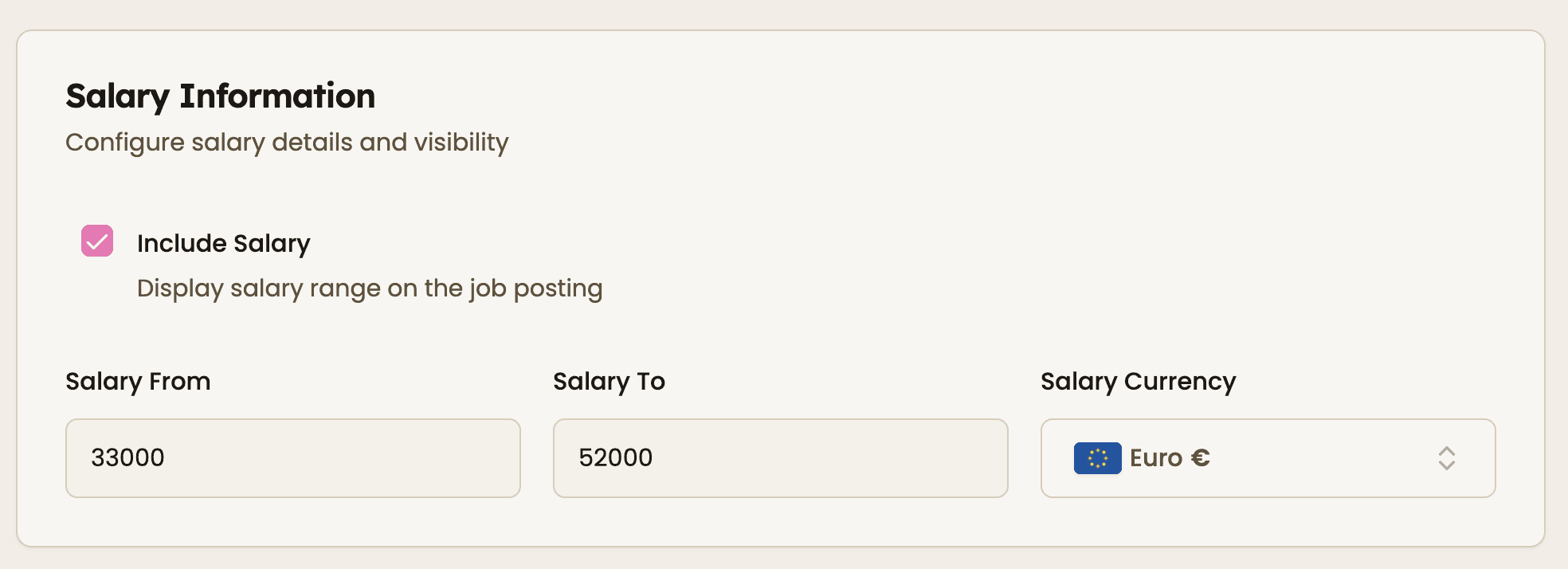
Step 1: Set salary details in the job
Start by adding a salary range when creating a job. This is required to calculate percentage-based recruiter commission.
The system will use the final salary later to calculate your placement revenue automatically.

Step 2: Define hiring volume
Select how many hires are needed for the role in the hiring requirements section.
This allows you to understand the total revenue potential for the job, especially when working on multiple placements for the same client.


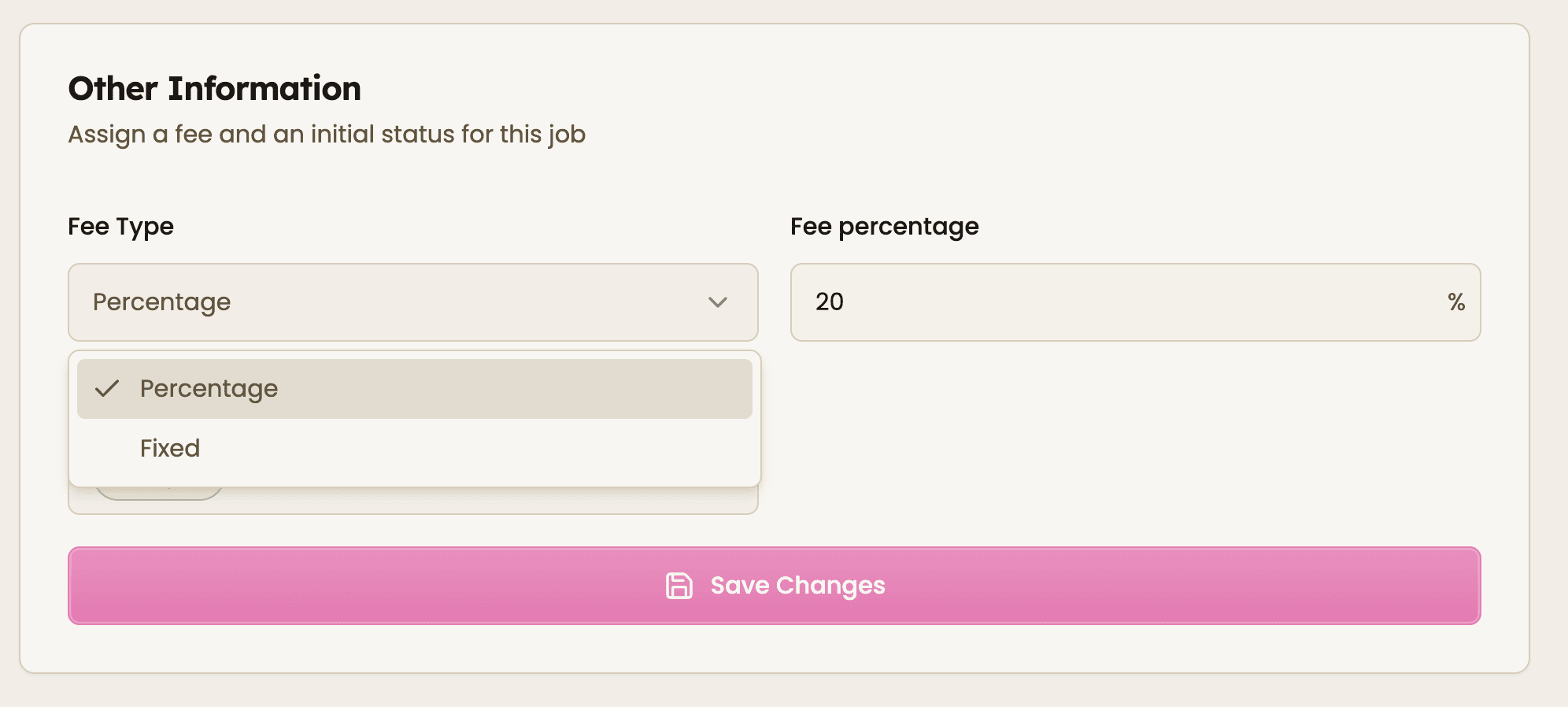
Step 3: Choose your fee structure (fixed fee vs. percentage)
In the job settings, select how you charge for the role:
Percentage fee based on salary
Fixed fee per placement
If you choose percentage, enter the fee percentage. If you choose fixed, the system will use that amount for every placement.
Each job have its own setup, so you can adapt to different client agreements.

Step 4: Move candidate to placement
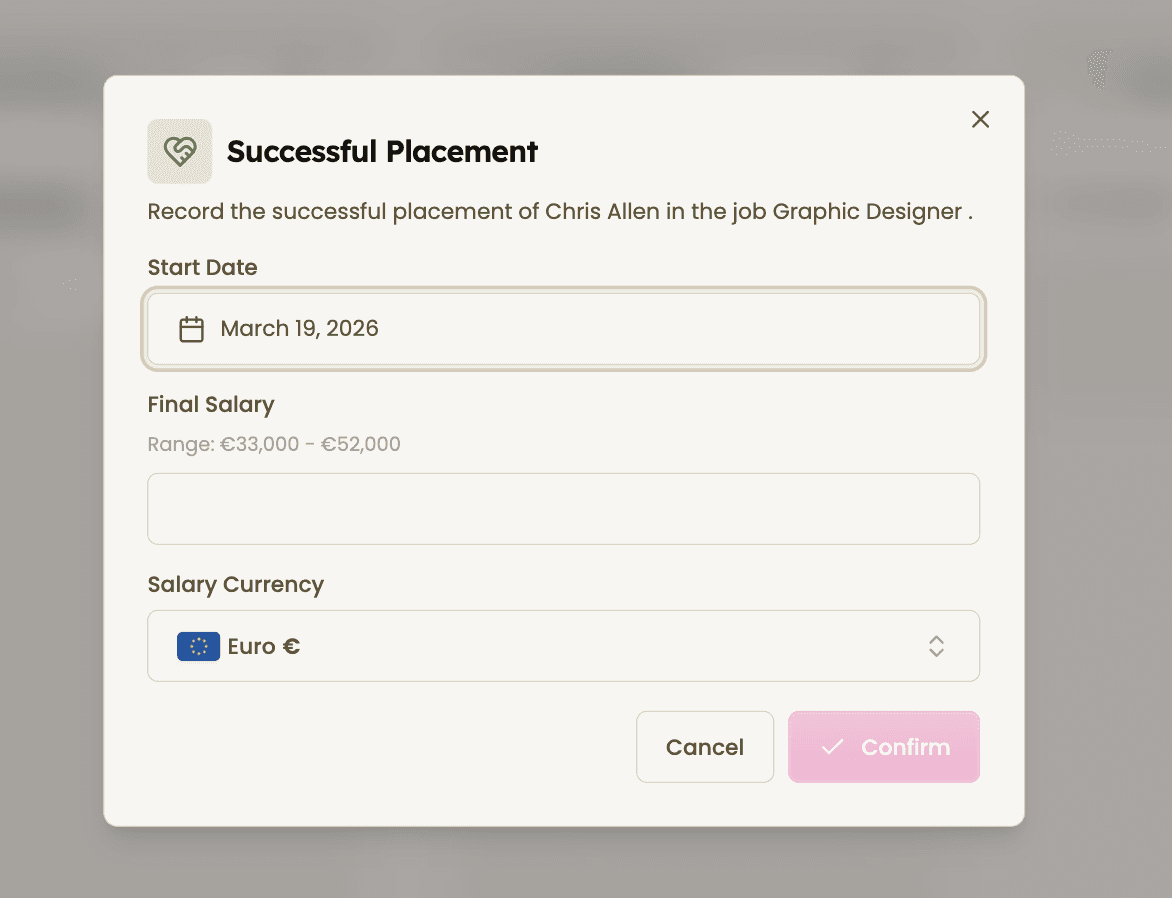
When a candidate is successfully hires, move them to the placement stage in the kanban pipeline.
You will confirm key details like start date and final salary. This ensures the revenue calculation is accurate.
Once confirmed, the system automatically calculates the fee based on the job setup.

Step 5: Track recruitment revenue, commissions, and placement performance in one dashboard
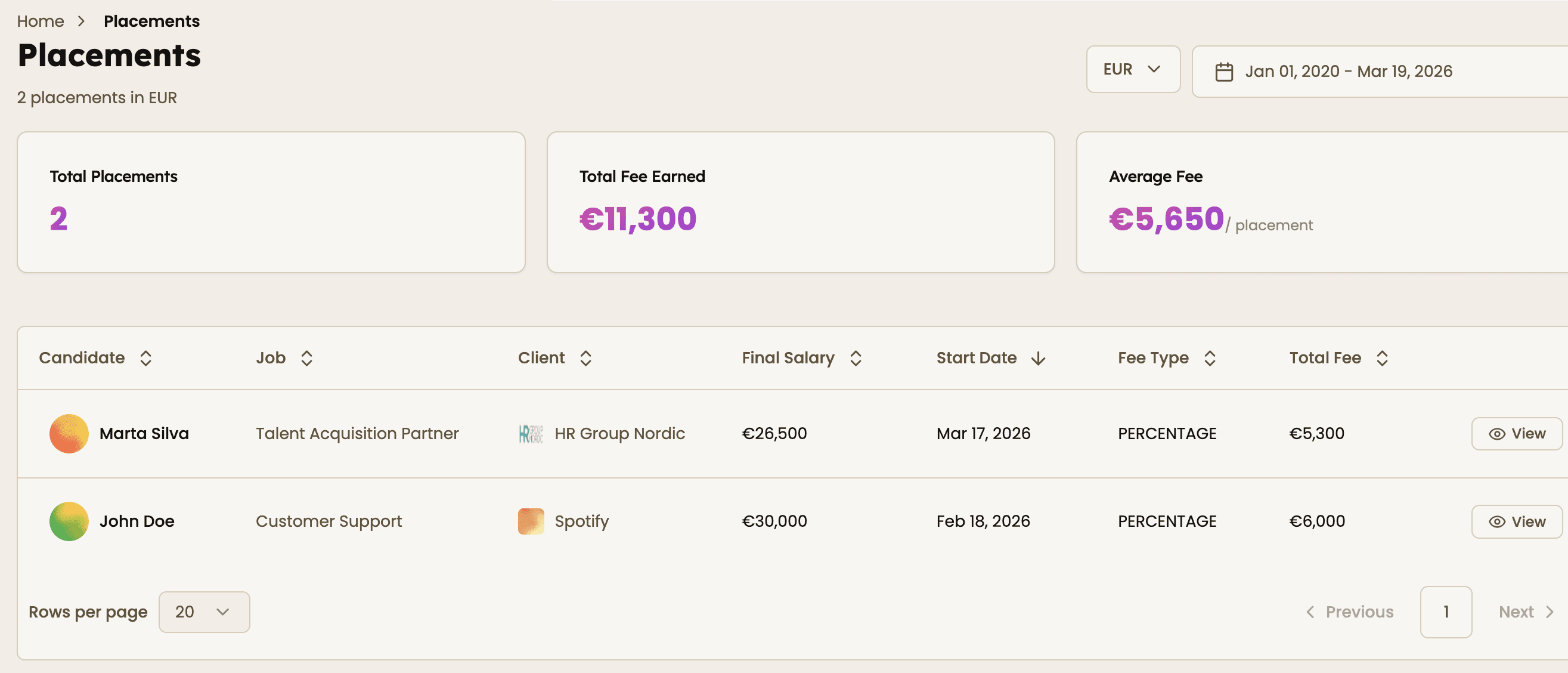
Go to the placements dashboard on the left side to track:
Total placements
Total fees earned
Average fee per placement
Dive deeper into each placement with full details, including candidate, client, final salary, fee type, and total fee generated.
Use the date filter in the top right corner to analyze performance over time.
All figures update automatically as placements are confirmed, so you always have an accurate, real-time view of your earnings.


Feeling stuck or unsure how to begin?
Our friendly support team is here to guide you through every step. Just drop us a line: support@happlicant.com