Candidates
Live
Resume reformatting & branding
Reformat resumes into your agency’s branded template in seconds. Edit, anonymize, and share polished CVs with clients through your portal.
Resume reformatting & branding feature review
Happlicant helps recruiters standardize and improve every resume they send. Upload any CV and it will be automatically parsed, formatted, and styled to match your agency’s template.
No more manual editing or inconsistent layouts. Whether you need to remove personal details, adjust content for a specific role, or present candidates in a more professional format, everything can be done quickly in one place.
You stay in control at all times. Edit sections, adjust wording, and choose how each resume looks before sharing it. You can also manage different templates for different clients, making it easy to tailor presentations based on their expectations.
When the resume is ready, share it directly to the client portal with one click. This keeps your workflow fast, consistent, and focused on delivering quality candidates.
1
Send more candidates, faster
Automated formatting removes bottlenecks so you can present more candidates without slowing down your workflow.
2
Cut manual admin work
Skip copy-paste tasks and formatting fixes. Spend more time on client relationships and closing roles.
3
Tailor every submission
Edit and customize each resume based on the role or client, then share it instantly through your branded portal.
Jump on a quick demo call to see how this, and many other features, can save you time and help you grow your agency.

FAQs
What is resume reformatting in recruitment?
Resume reformatting is the process of converting candidate CVs into a consistent, branded format. It helps recruiters present candidates in a more professional and structured way.
Can I edit the resume after it has been formatted?
Yes. You can fully edit the content, sections, and layout before sharing it with clients. You stay in control of the final version.
Can I anonymize candidate details?
Yes. You can remove or adjust personal details to create anonymized resumes before sending them to clients.
Can I use different templates for different clients?
Yes. You can apply different templates depending on the client or role, making it easy to tailor how candidates are presented.
Can I share formatted resumes directly with clients?
Yes. Once the resume is ready, you can share it directly through the client portal, where clients can view and download it.
Resume reformatting & branding: How-to guide
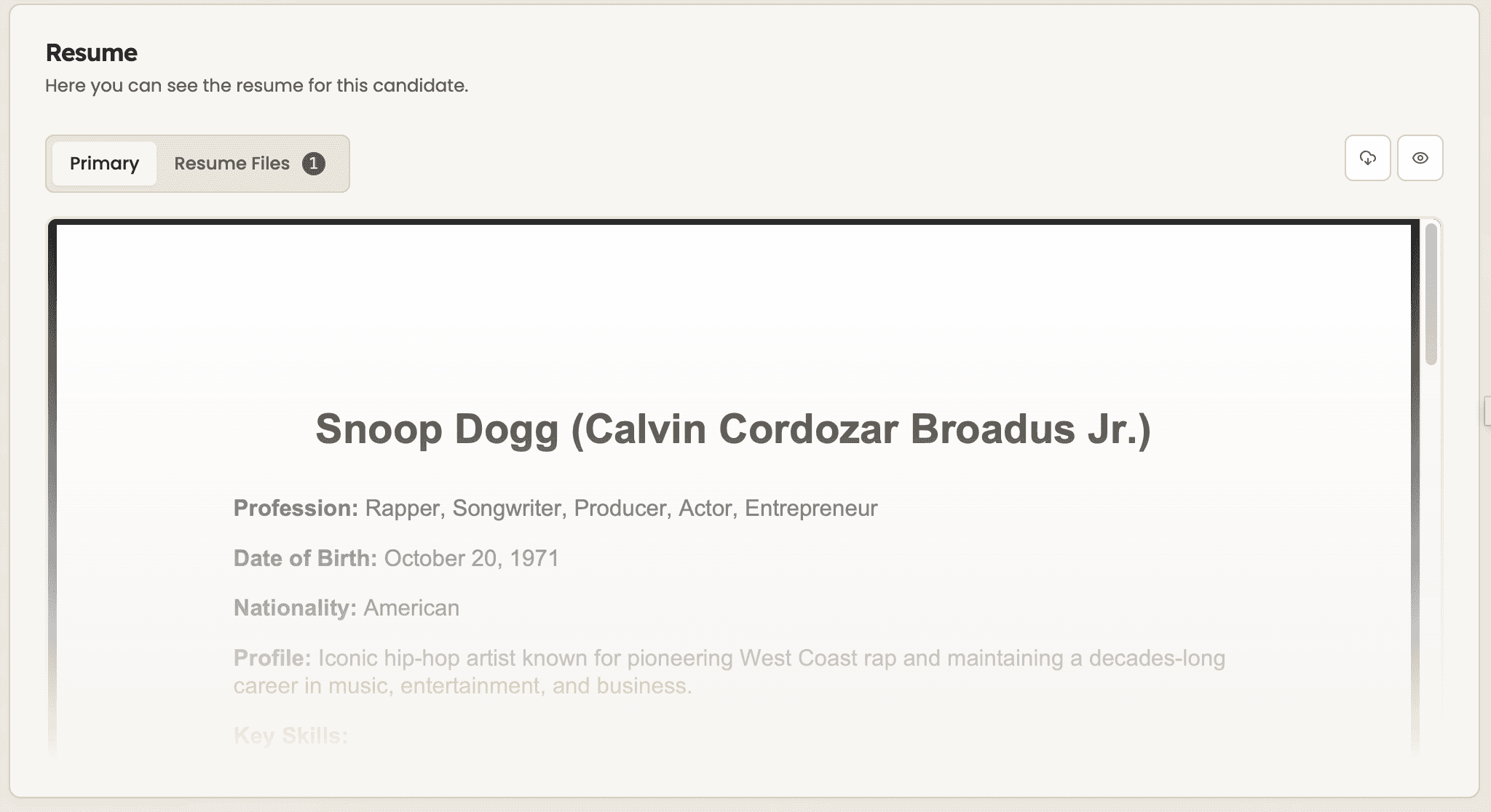
Upload or attach the original resume
Make sure the candidate’s original resume is uploaded to their profile. This is the file that will be used for reformatting.

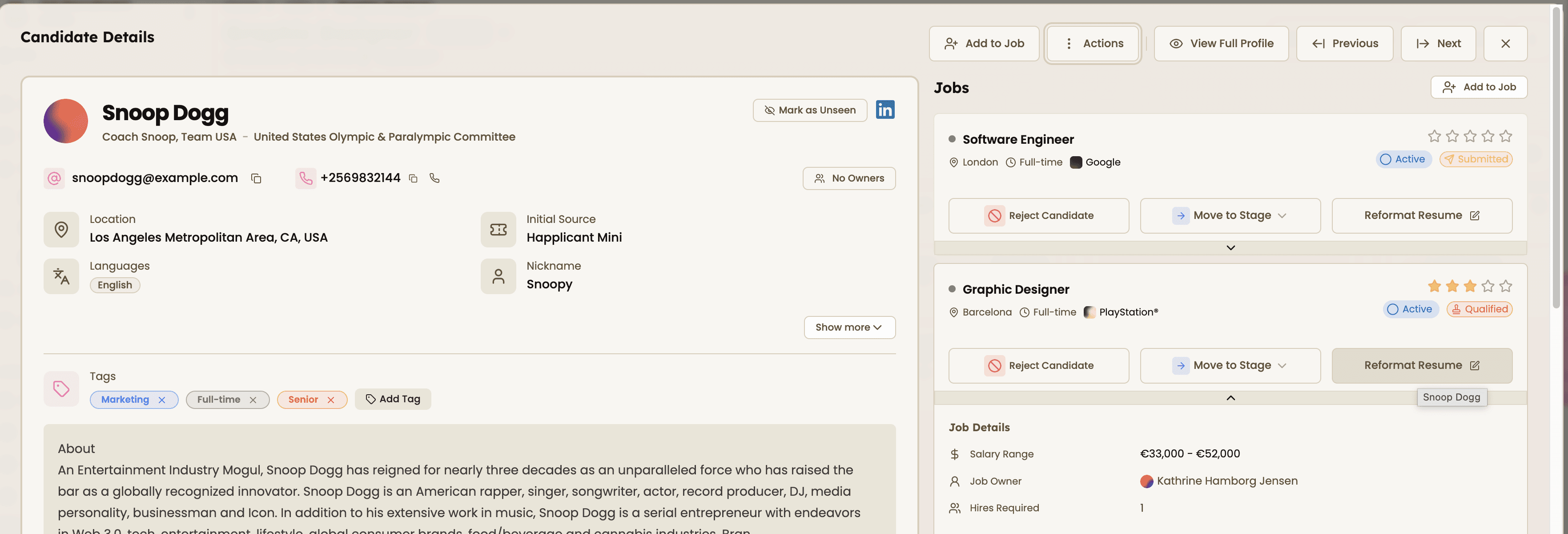
2. Open the resume reformatting tool
Go to the candidate profile and click “Reformat Resume” to start creating a client-ready version.

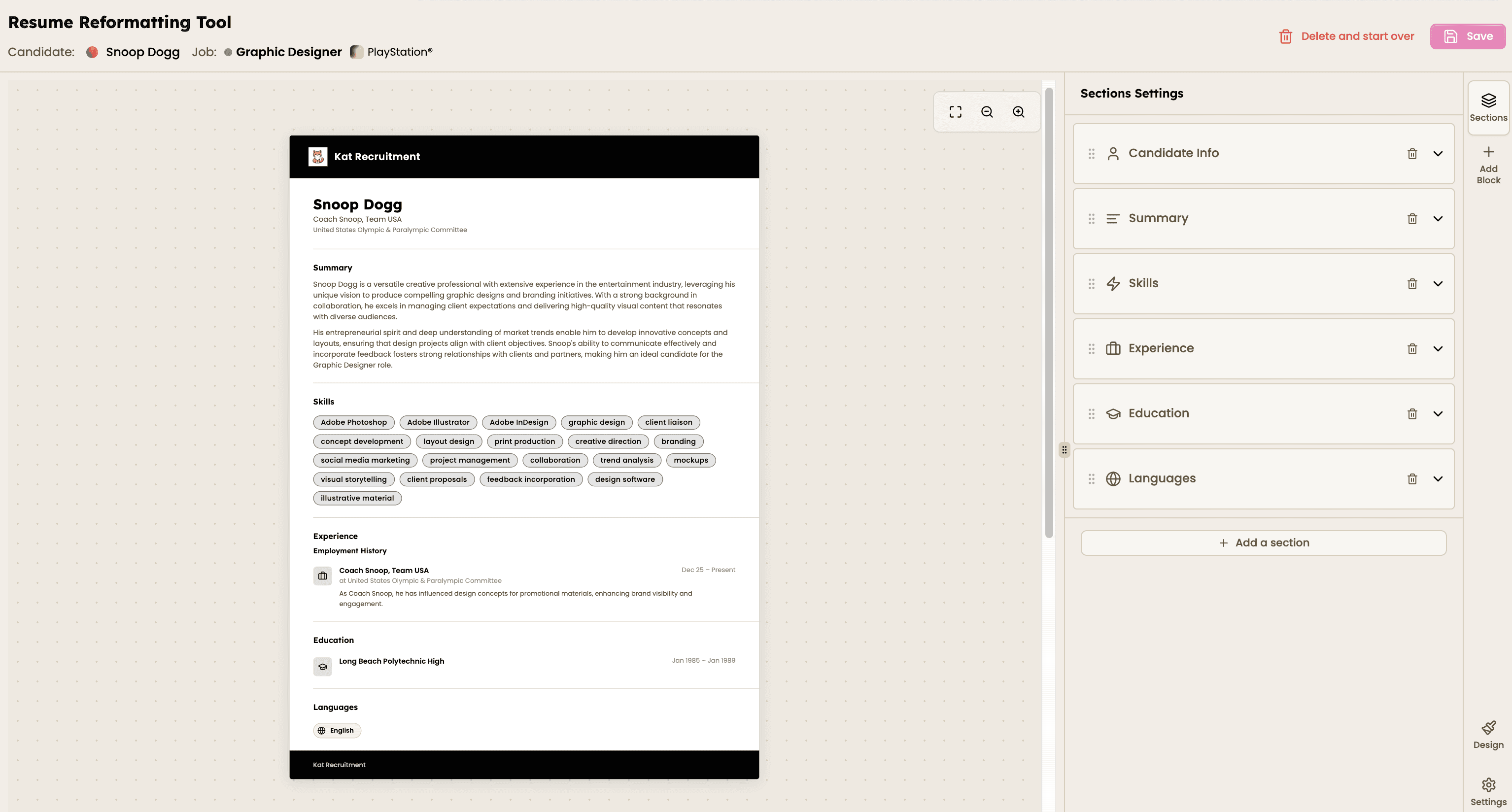
3. Review and edit the content
The resume is automatically formatted into your template. Review the content and make any changes needed, such as updating sections or removing sensitive details.

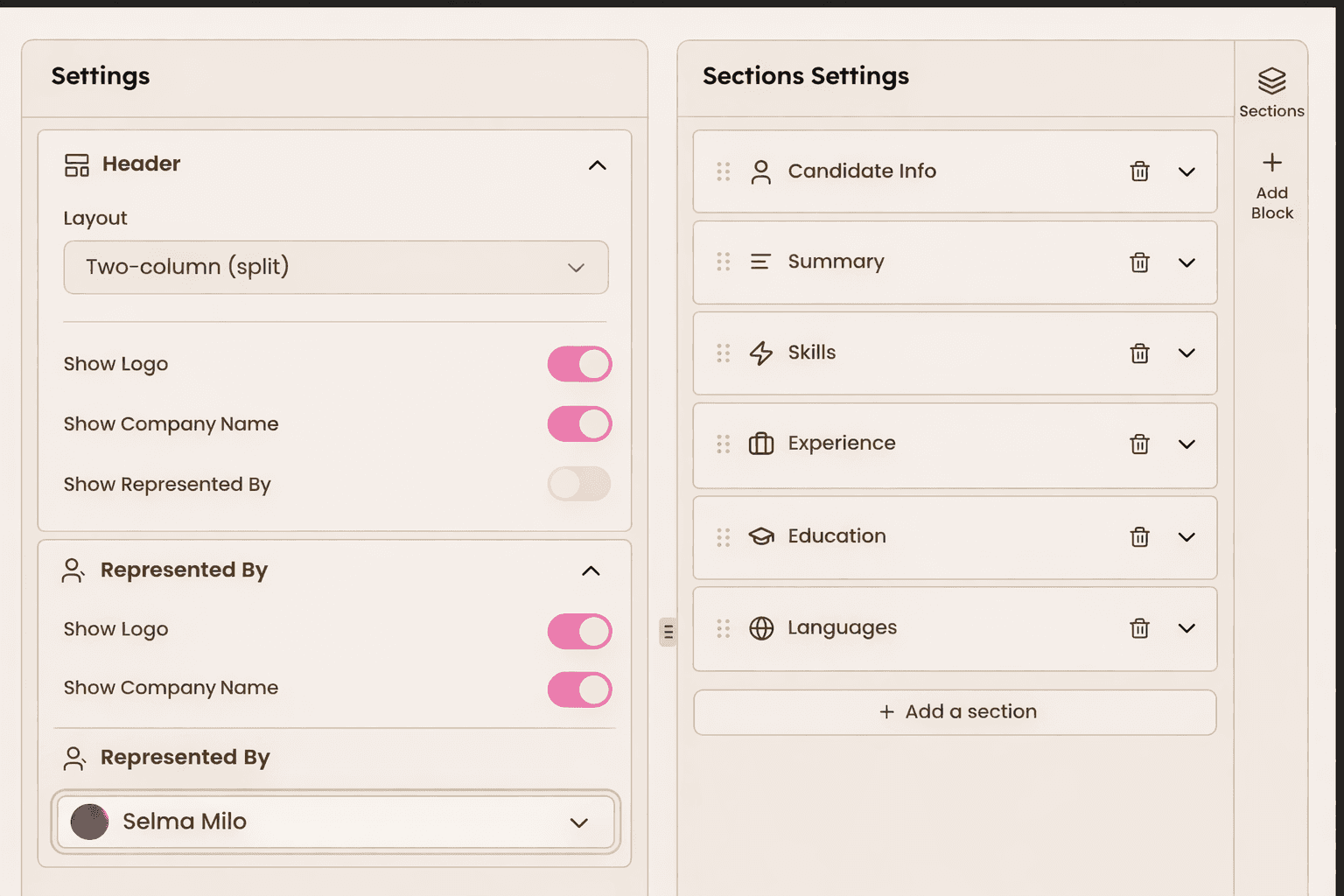
4. Customize layout, branding, and sections
Adjust how the resume is structured and presented. Use the settings panel to control layout and branding (logo, company name, “represented by”), and organize the content by reordering, editing, or adding sections.
Everything is managed in one view, so you can quickly tailor both the design and structure of the resume.

5. Save and share to client portal
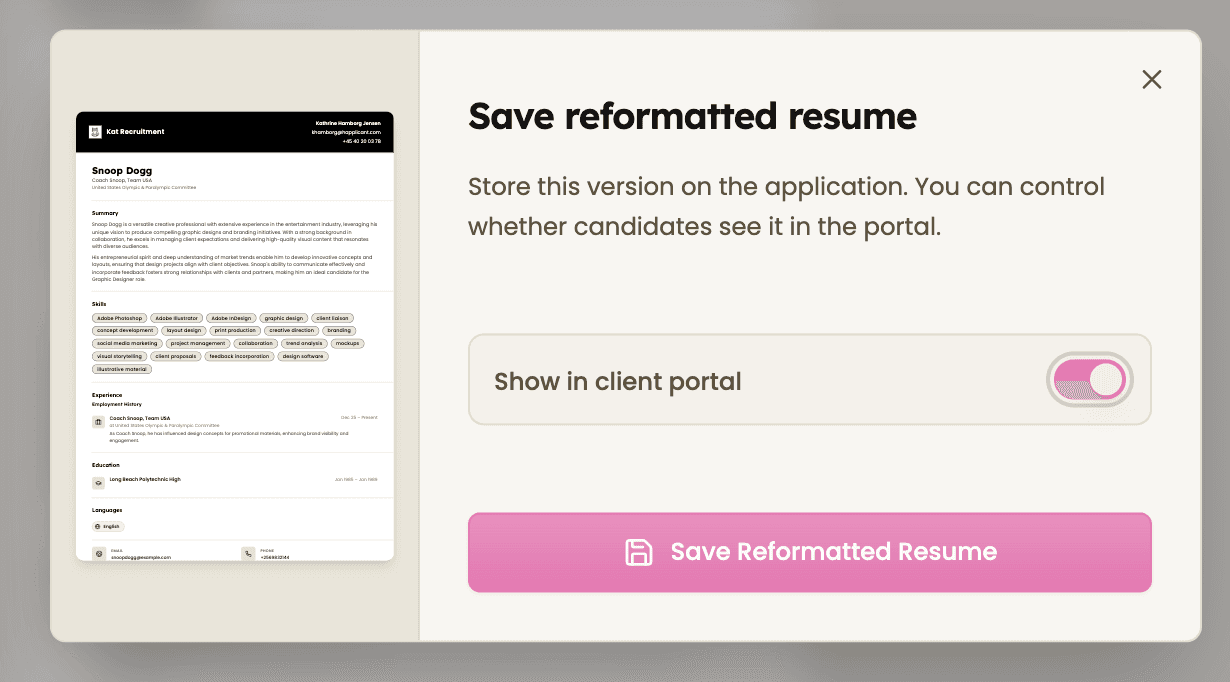
Save the final version and choose whether to show it in the client portal. Once shared, clients can view and download the formatted resume.


Feeling stuck or unsure how to begin?
Our friendly support team is here to guide you through every step. Just drop us a line: support@happlicant.com