Client CRM
Live
Contacts database
Manage client relationships with a CRM built for recruiters. Keep contact details, communication, and collaboration in one clear, organized system.
Contacts database feature review
If you want to scale a recruitment agency, you need a CRM that keeps your client data accurate and easy to access.
Happlicant’s contact database gives you a simple way to manage client relationships without relying on spreadsheets or scattered tools. Every contact, note, and interaction is stored in one place so you always have the full picture when working on a role.
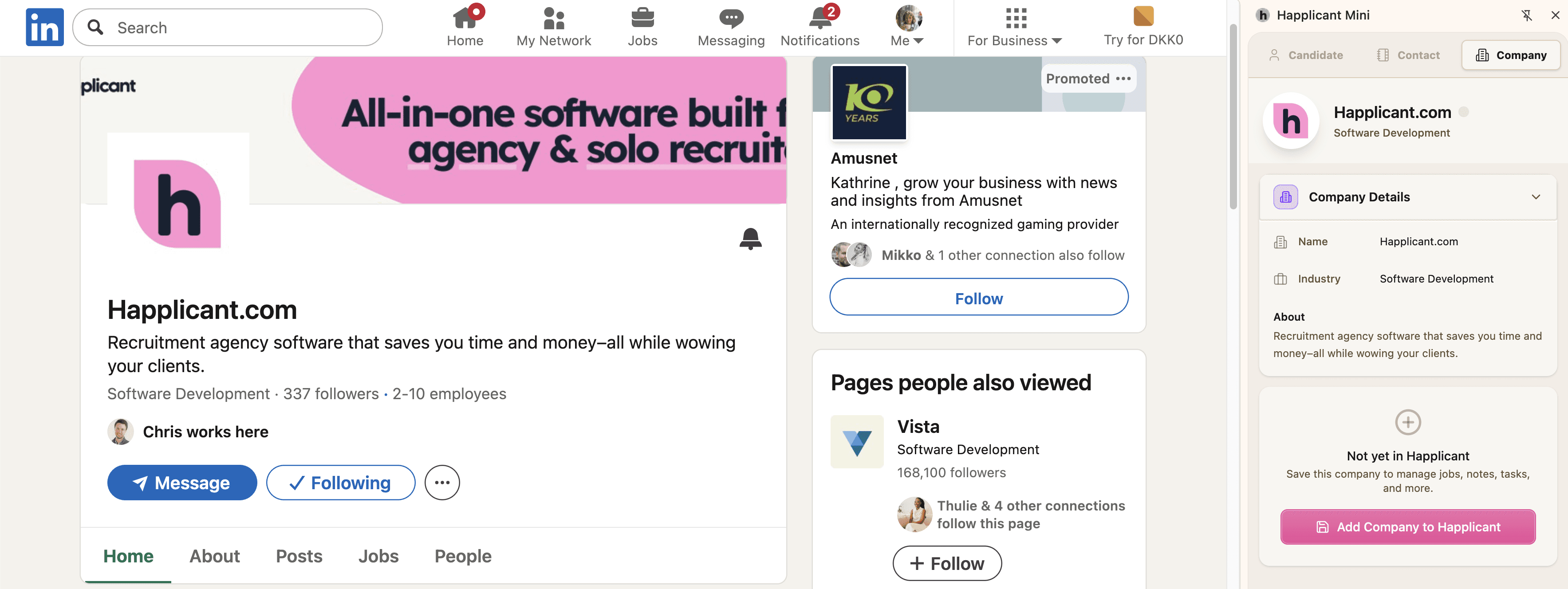
You can create client records in seconds using the LinkedIn Chrome Extension, making it easy to capture new leads and grow your recruitment CRM. Add notes after calls, track preferences, and keep a clear history of every interaction so your workflow stays consistent.
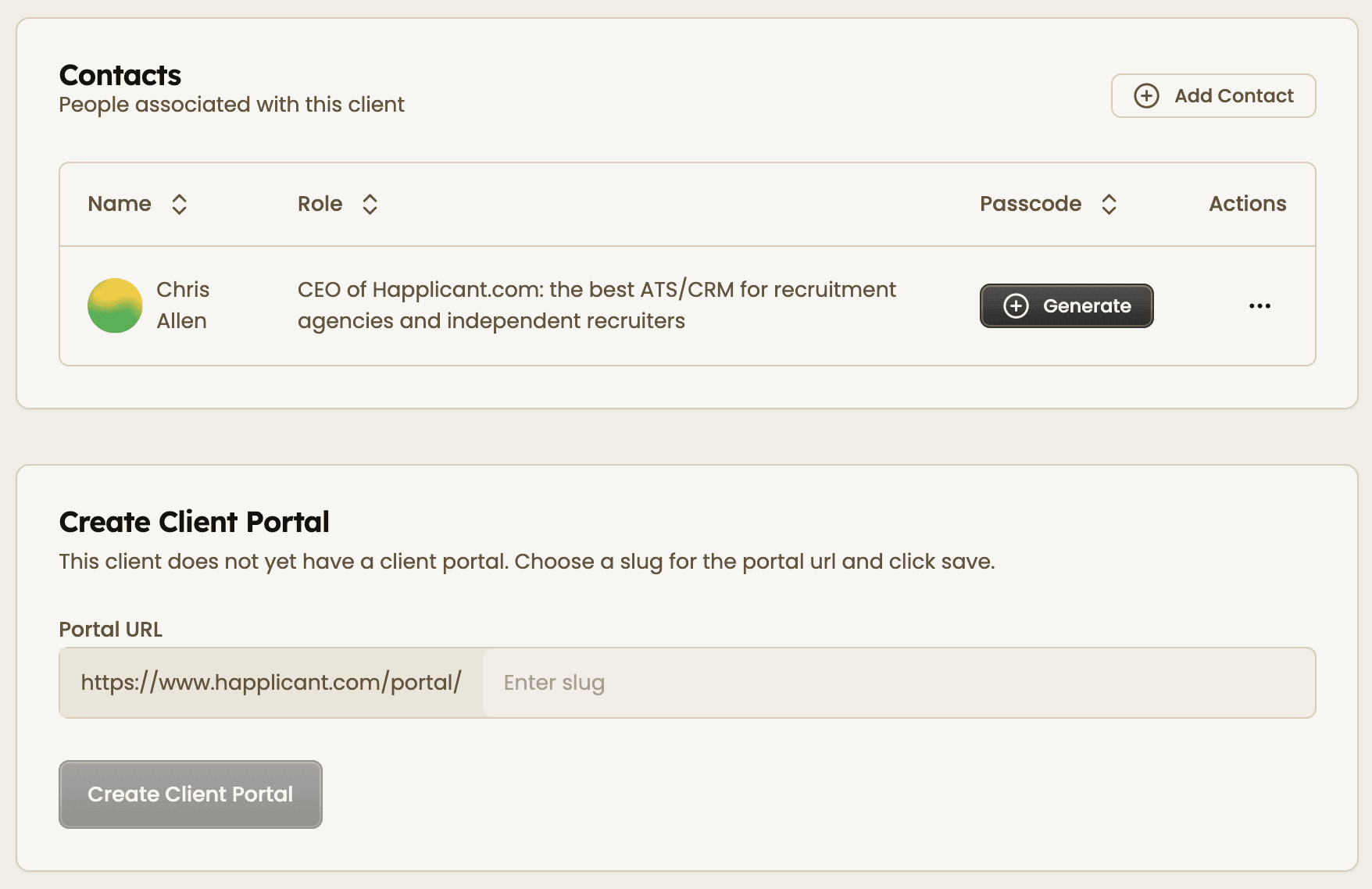
When working with clients, you can share a secure client portal using a unique link and passcode. Clients can review roles, follow progress, and stay updated without long email threads. This keeps communication structured and saves time for both sides.
Built for solo recruiters and small agencies, this setup helps you stay organized, improve client experience, and close roles faster.
Contacts database key benefits
1
Centralized client data
Store all client details, notes, and activity in one place. Reduce errors and keep your recruitment process organized.
2
Fast contact sourcing from LinkedIn
Create client records directly from LinkedIn in seconds. Build your recruitment CRM faster without manual data entry.
3
Secure client portal
Share a private portal with clients using a secure link and passcode. Keep communication clear and improve collaboration.
Jump on a quick demo call to see how this, and many other features, can save you time and help you grow your agency.

FAQs
How can I manage client relationships in recruitment more effectively?
Use a recruitment CRM to store contact details, track notes, and maintain a history of interactions. This helps you stay organized and build stronger client relationships over time.
Can I track all client communication and notes in one system?
Yes, you can store notes, updates, and contact history inside each client and contact profile. This gives you full visibility when working on roles.
How do I add or edit a contact in the database?
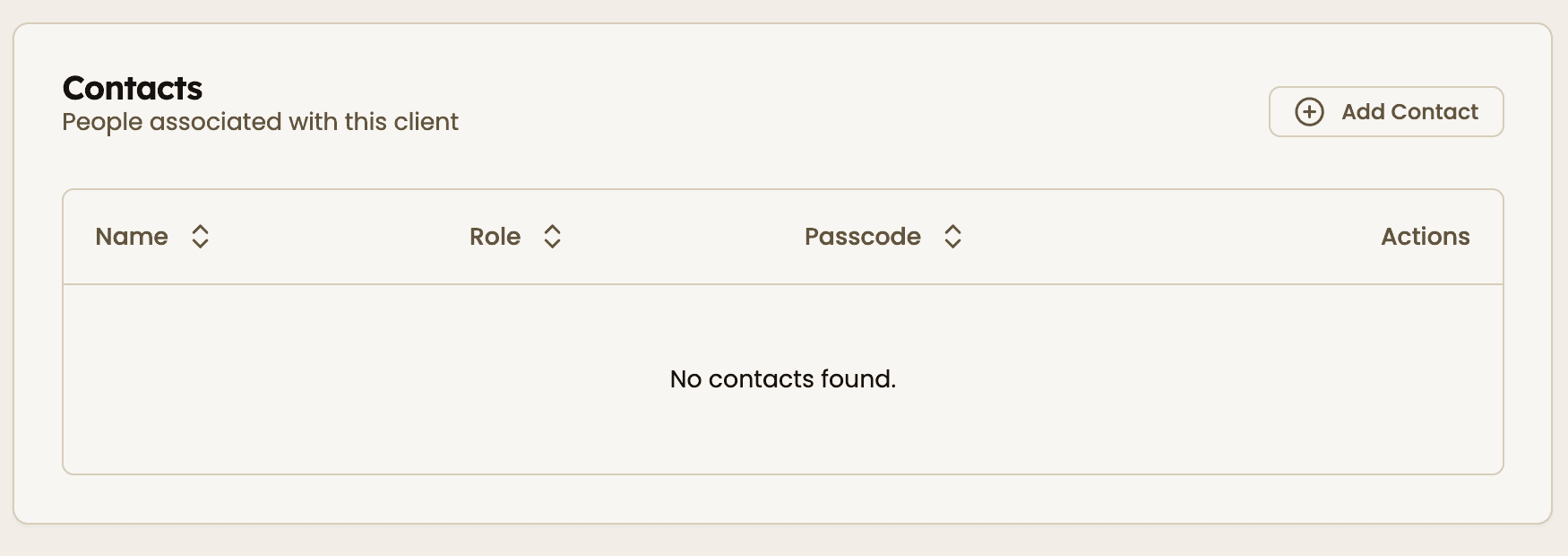
Open the client profile, go to the Contacts section, and click Add Contact. You can update details anytime by editing the contact record.
How does the client portal login work?
Each client portal is accessed through a unique URL and a passcode you generate. Only people with access can view the shared information.
What is the best CRM for recruitment agencies?
The best CRM for recruitment agencies helps you manage client contacts, track communication, and collaborate on roles in one place. Happlicant is designed specifically for recruiters who want a simple and effective system.
Contacts database: How-to guide
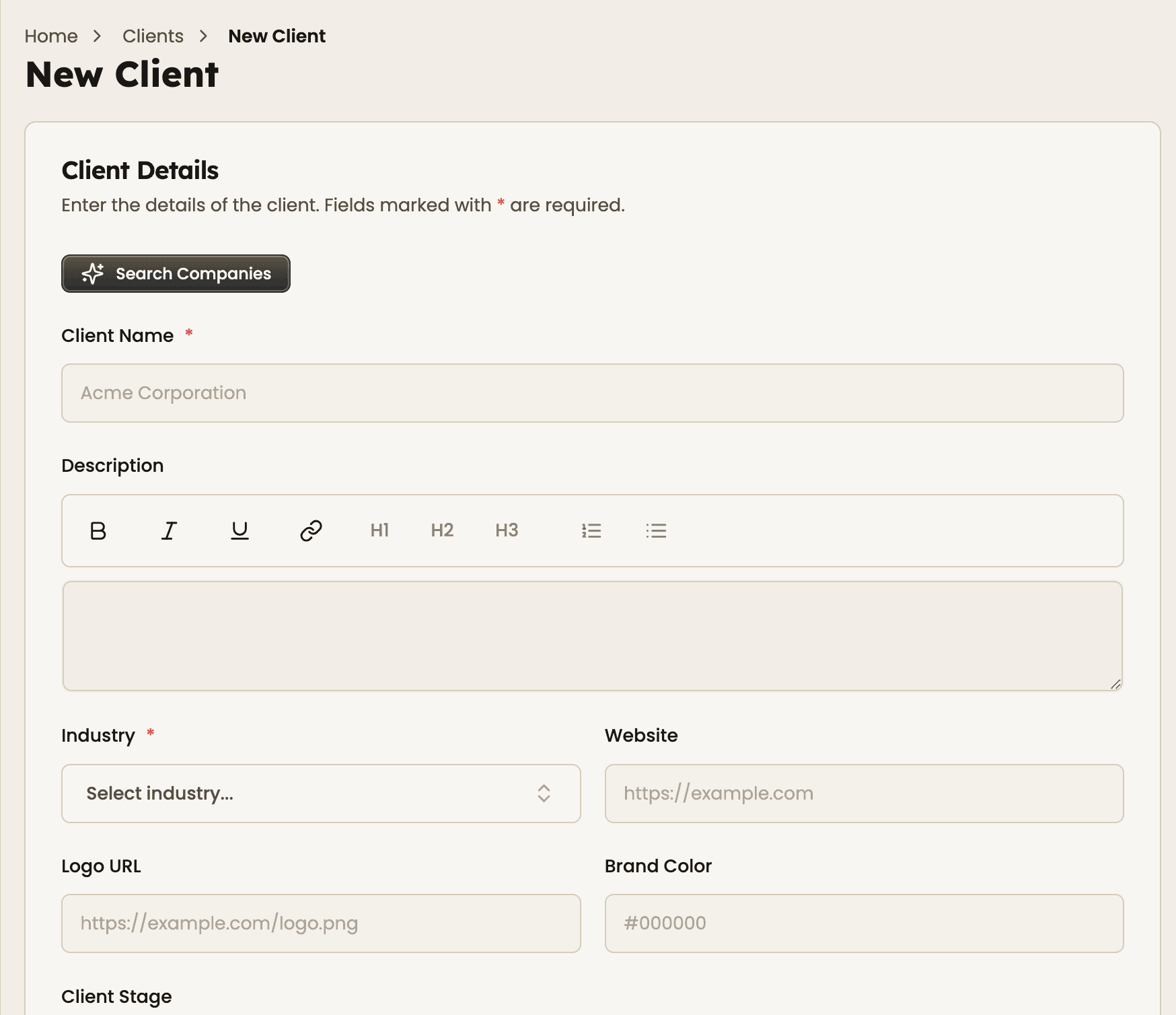
1. Add a new client
Go to the Clients section and create a new client profile. Add company details like name, website, and industry to get started.
2. Add key contacts
Open the client and add contacts such as hiring managers or founders. Include their role and contact details so you know exactly who to reach.
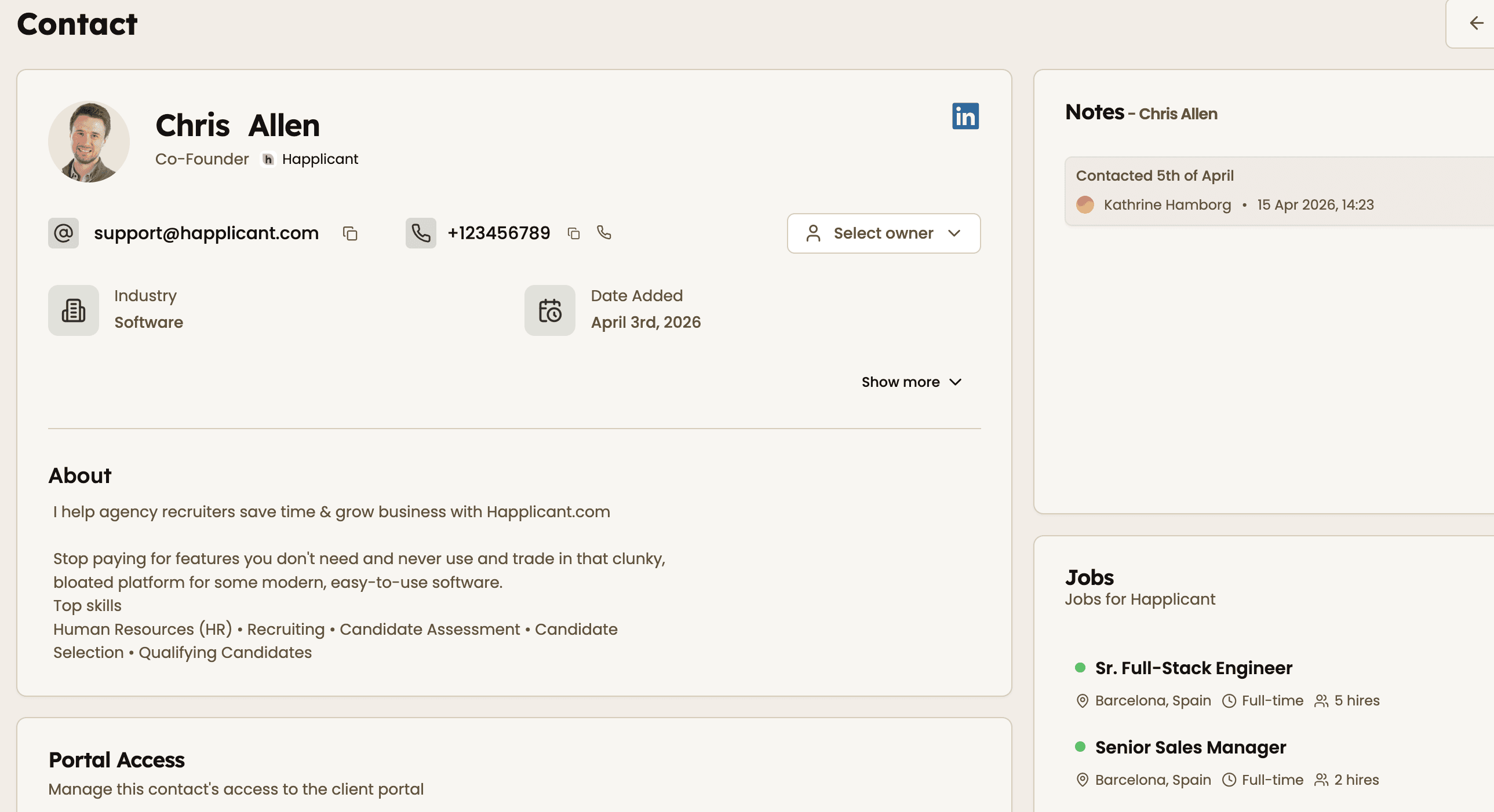
3. Enrich contact details
Update each contact with notes, email, phone number, and relevant context from past conversations. This helps you stay prepared for every interaction.
4. Capture clients from LinkedIn
Use the Happlicant Chrome Extension to create new client and contact records directly from LinkedIn. This speeds up your sourcing and keeps your CRM accurate.
5. Set up and share the client portal
Create a client portal by choosing a URL slug and generating a passcode. Share it with your client so they can track roles and progress in real time.
Feeling stuck or unsure how to begin?
Our friendly support team is here to guide you through every step. Just drop us a line: support@happlicant.com