Sourcing
Live
Advanced candidate filtering
Find the right candidates faster with flexible filters built for recruiters who need precision and control.
Advanced candidate filtering feature review
Improve how you search and shortlist candidates with advanced candidate filtering designed for modern recruiters. Whether you run an independent desk or a small agency, this feature gives you the control to narrow your database with accuracy.
Apply detailed filters to focus only on candidates who meet your client’s expectations. From job titles and companies to locations and tags, every filter helps you cut through the noise and stay focused on quality matches.
The interface is simple to use, even when working with large candidate pools. You can quickly adjust filters, combine conditions, and refine your results without slowing down your workflow.
Built directly into your recruitment CRM, this feature removes the guesswork from candidate sourcing. Spend less time searching and more time placing candidates into the right roles.
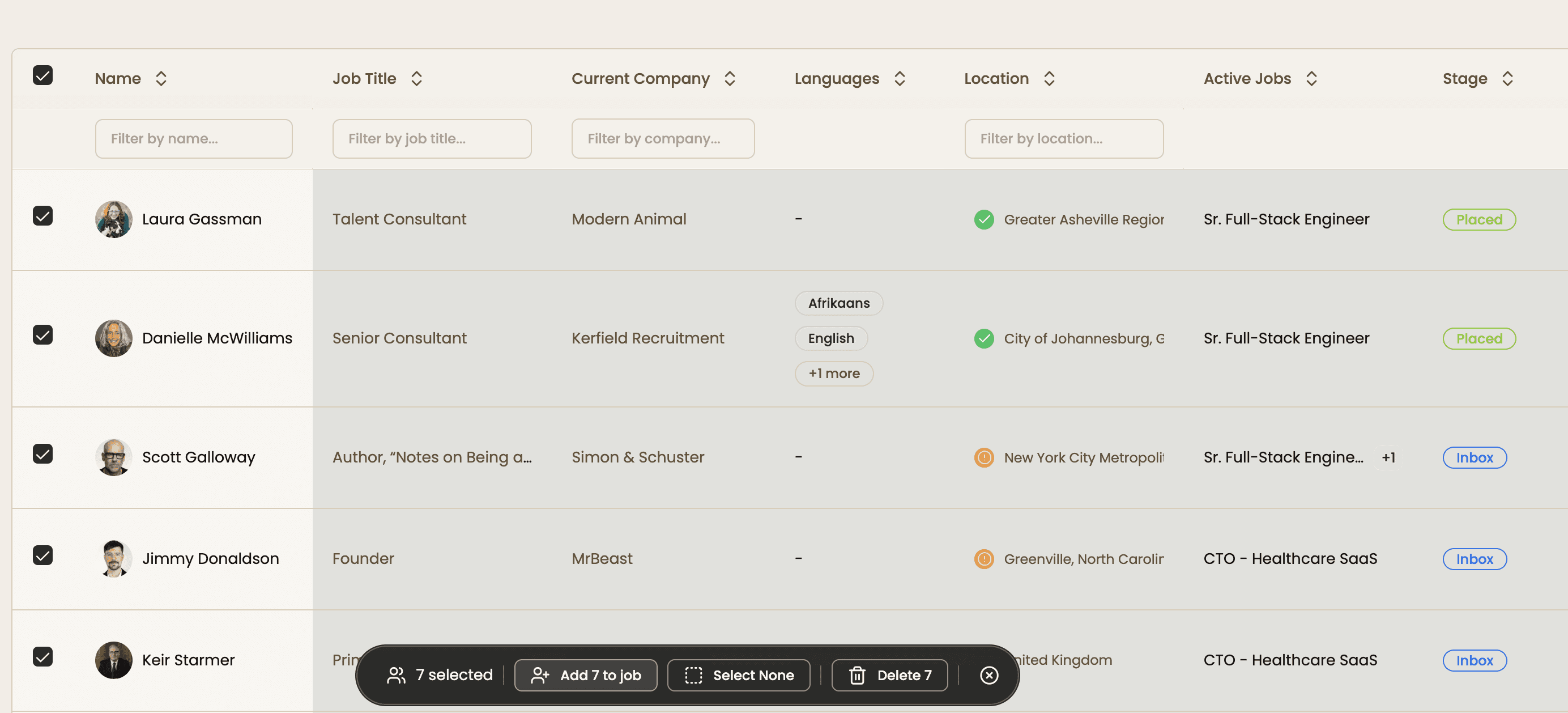
Add shortlisted candidates to your jobs in seconds, either one by one or in bulk, depending on how you prefer to work.
Advanced candidate filtering key benefits
1
Tailored precision
Refine your search with filters that match your exact requirements. Use tags, job titles, skills, and more to zero in on the right candidates.
2
Save time and resources
Reduce time spent searching your database. Quickly narrow down results so you can focus on engaging the best candidates.
3
Bulk adding to jobs
Select multiple candidates and add them to a job or pipeline in one action. Keep your workflow fast and organized.
Jump on a quick demo call to see how this, and many other features, can save you time and help you grow your agency.

FAQs
What is candidate filtering in recruitment software?
Candidate filtering is a feature in Happlicant that helps recruiters narrow down large talent pools using criteria like job title, skills, location, and tags. It allows you to quickly identify candidates who match specific hiring requirements.
How do recruiters filter candidates faster?
Recruiters can filter candidates faster by using advanced search filters and combining multiple conditions such as job title, keywords, and location. This reduces manual screening and helps surface the most relevant candidates in seconds.
What are the best filters to use in a recruitment CRM?
The most effective filters include job title, tags, and location. Combining these filters helps recruiters quickly find qualified candidates who closely match the role requirements.
How do recruiters filter candidates efficiently?
Recruiters can filter candidates efficiently by combining multiple criteria such as job title, tags, and location. Advanced filtering helps narrow large databases quickly and improves candidate matching for open roles.
Can advanced filtering improve candidate sourcing?
Yes. Advanced filtering improves candidate sourcing by helping recruiters focus only on relevant profiles. This leads to faster shortlisting, better matches, and a more efficient hiring process overall.
Advanced candidate filtering: How-to guide
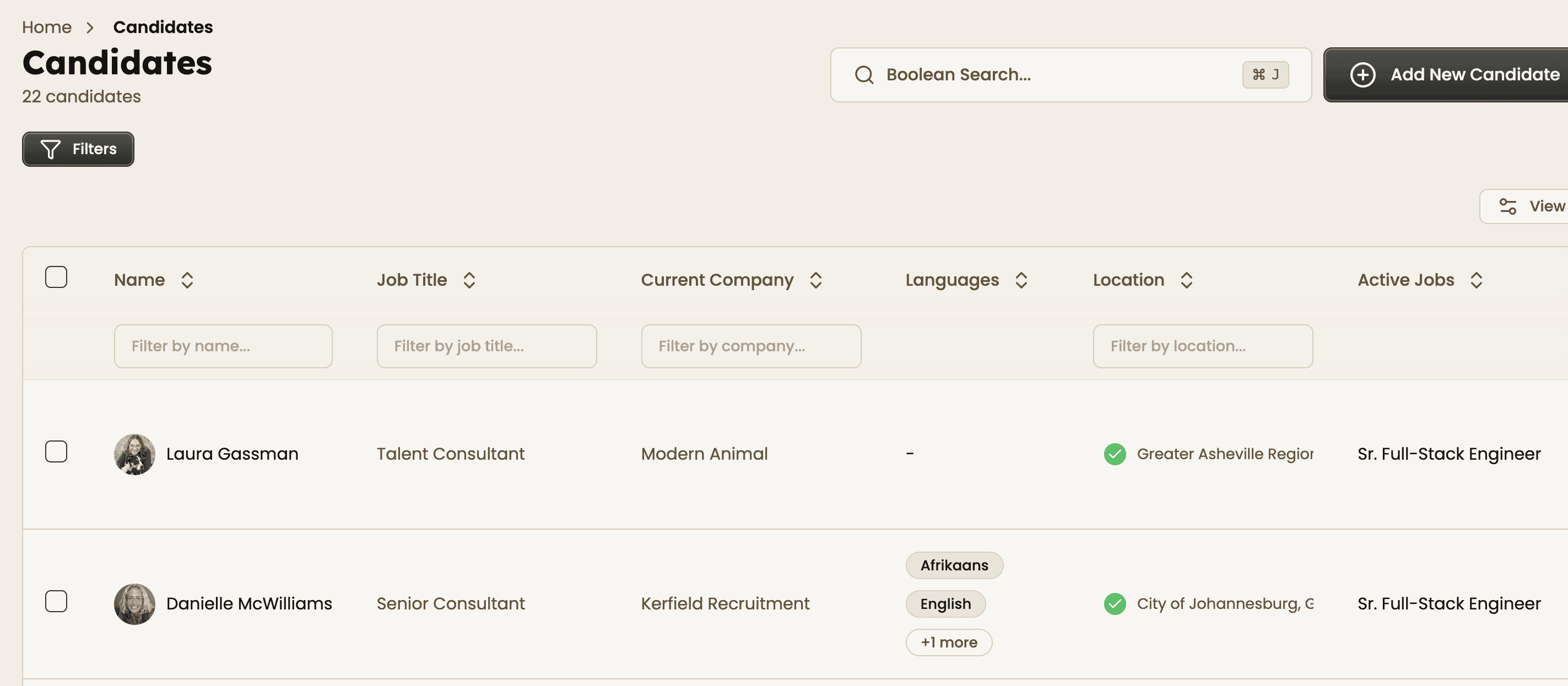
1. Open filters
Click on the “Filters” button from the candidates page to start building your search criteria.
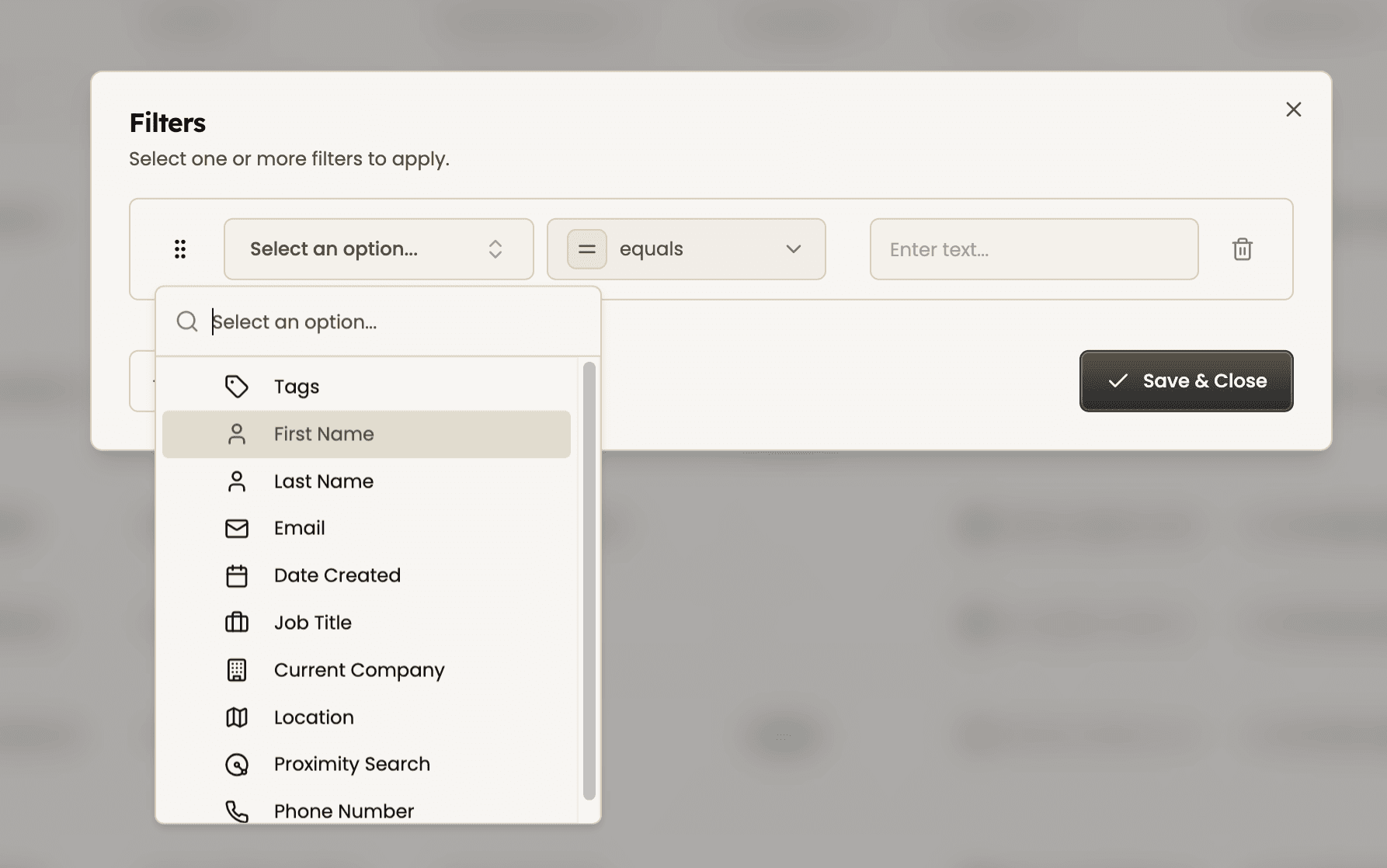
2. Add a condition
Click “Add Filter” or “Add Condition” and choose a field such as job title, tags, or location.
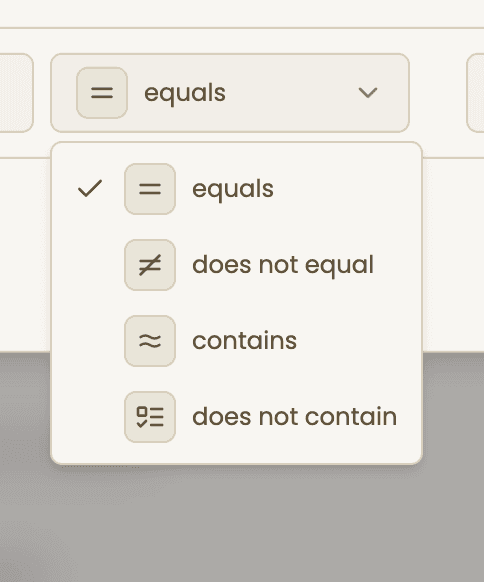
3. Choose operator
Select how you want to filter results, such as equals, contains, or does not equal. This helps refine your search logic.
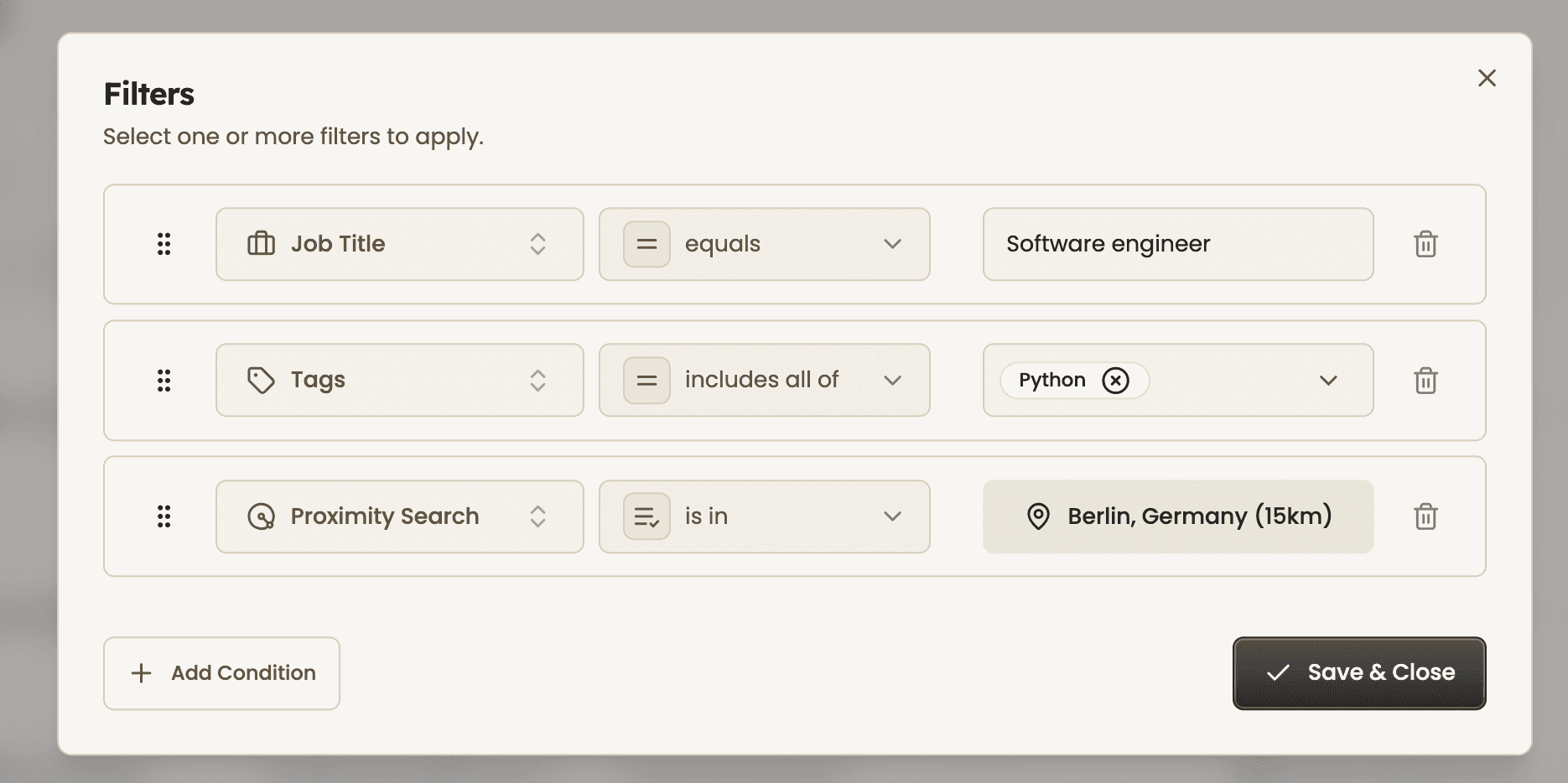
4. Enter values
Input your search value or select from available options like tags or locations. You can add multiple values where needed.
5. Select candidates and add to job
Once your filters are applied, review the results and select the candidates you want to move forward with. Use the checkboxes to choose individual profiles or select multiple at once.
From the action bar, add selected candidates directly to a job or pipeline in a single click. When you're done, click “Save & Close” to keep your filters for future use or continue refining your search.
Feeling stuck or unsure how to begin?
Our friendly support team is here to guide you through every step. Just drop us a line: support@happlicant.com