Candidates
Live
Supporting documents upload
Keep everything in one place - upload and manage candidate documents directly from their profile.
Supporting documents upload feature review
Recruiting isn’t just about resumes. You might have a reference letter, a driver's license, a portfolio PDF, or a candidate's certification to track. With Happlicant, you can upload and store all these supporting documents directly on the candidate’s profile.
No more digging through email threads or Google Drive folders. Everything is centralised and easy to find - so you're always ready when a client asks for documentation.
Whether it’s pre-interview prep or post-placement paperwork, you’ve got everything you need, right where you need it.
1
All-in-one candidate records
Keep resumes, contracts, and docs together in the candidate profile.
2
Secure and organized
Upload files safely and access them when you need them.
3
Faster response to clients
Have the right documents on hand when clients ask.
Jump on a quick demo call to see how this, and many other features, can save you time and help you grow your agency.

FAQs
Who can access the uploaded documents?
Anyone on your team with access to the candidate profile can view and download the uploaded documents, depending on your organization’s permission settings.
Can I delete a document after uploading it?
Yes. If a document is no longer needed or was uploaded by mistake, you can remove it from the candidate profile at any time.
Can I replace or update a document?
Yes. If a candidate provides an updated version of a document, you can upload the new file and replace or remove the older version.
What file types are supported?
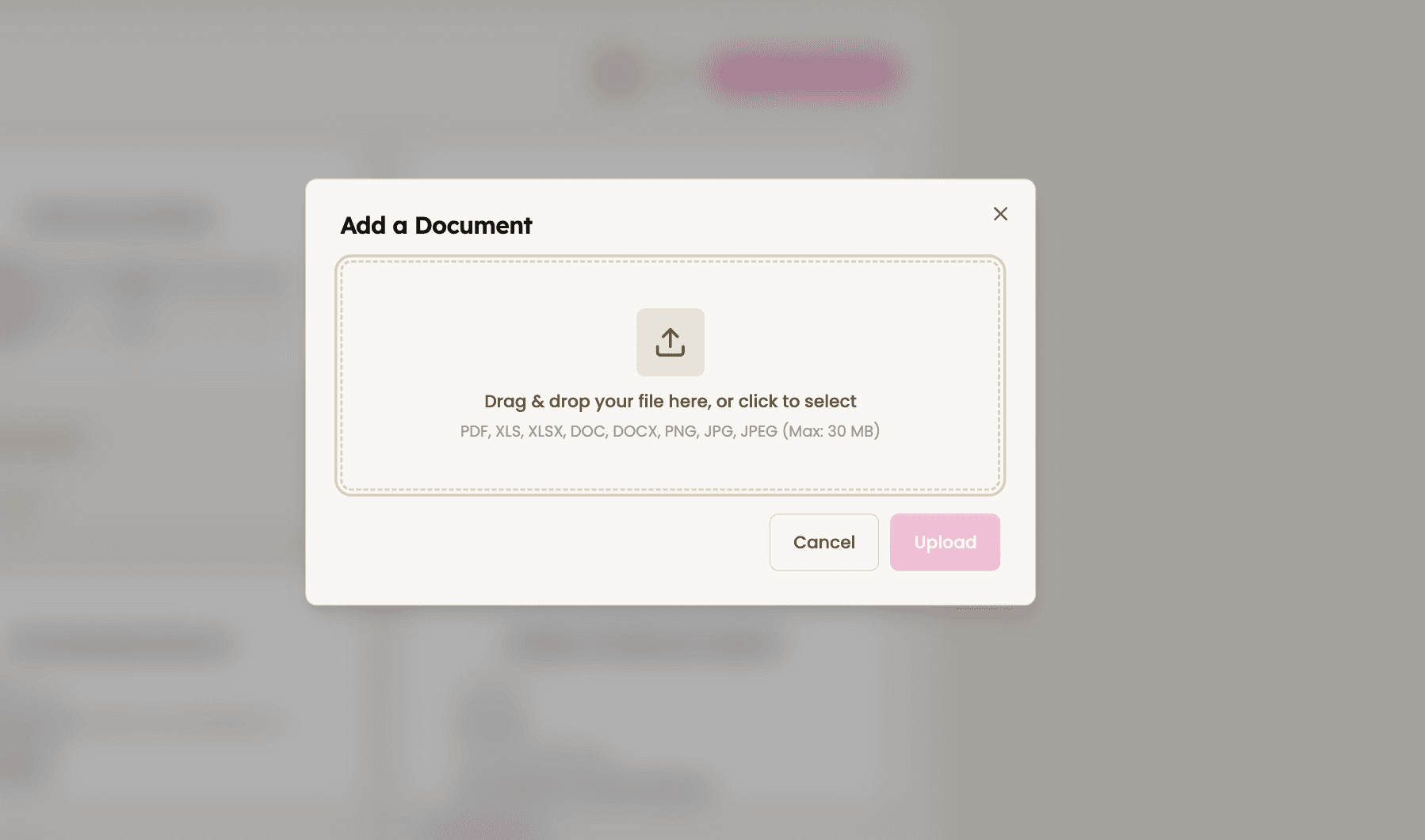
You can upload common document formats such as PDF, DOC, DOCX, JPG, and PNG. These formats work best for resumes, certificates, and scanned documents.
Supporting documents upload: How-to guide
How to use Supporting Documents
Upload files directly in candidate profiles
Add documents such as resumes, portfolios, certifications, references, or identification files.

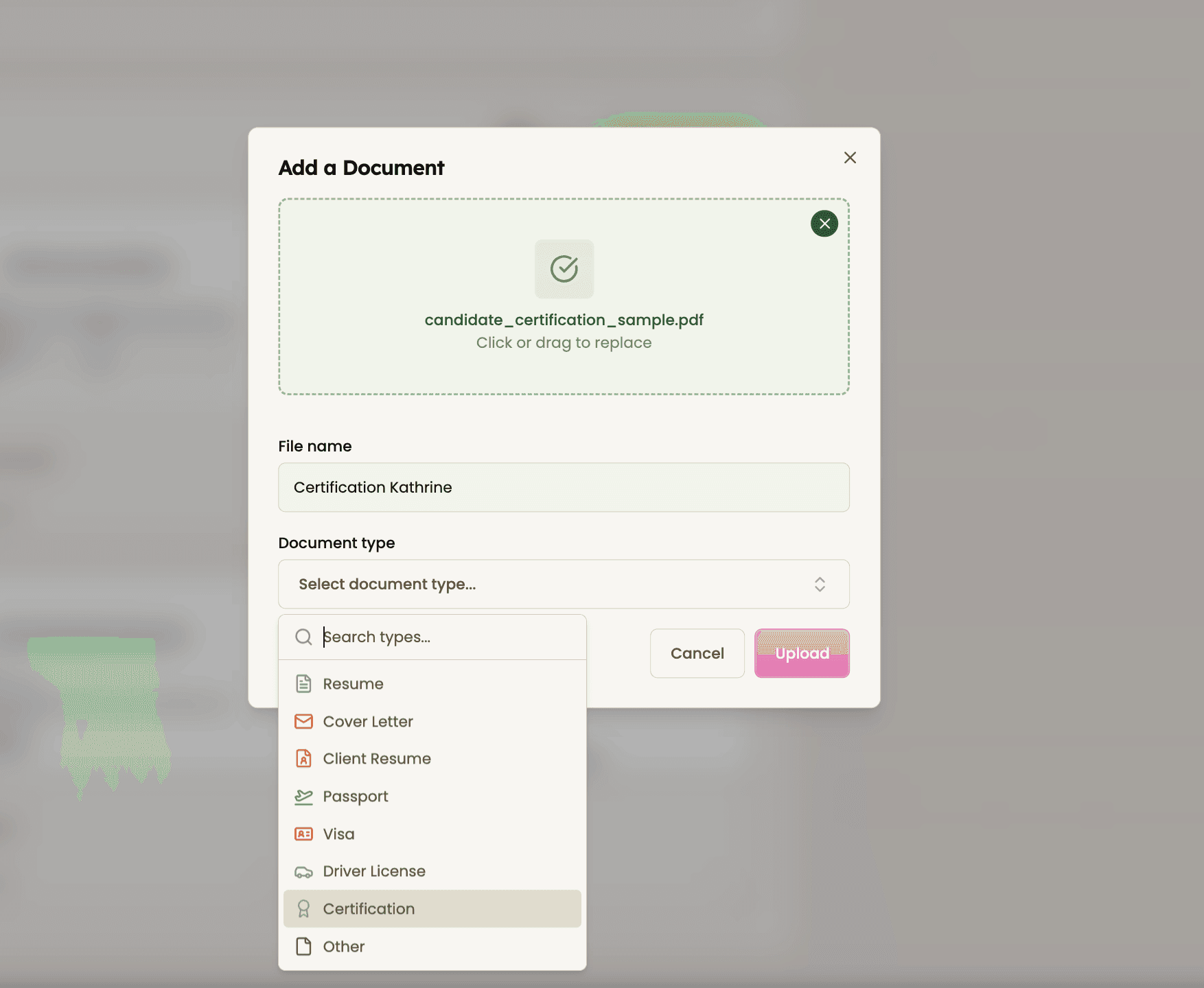
Categorize documents
Select a document type to keep files organized and easy to identify.

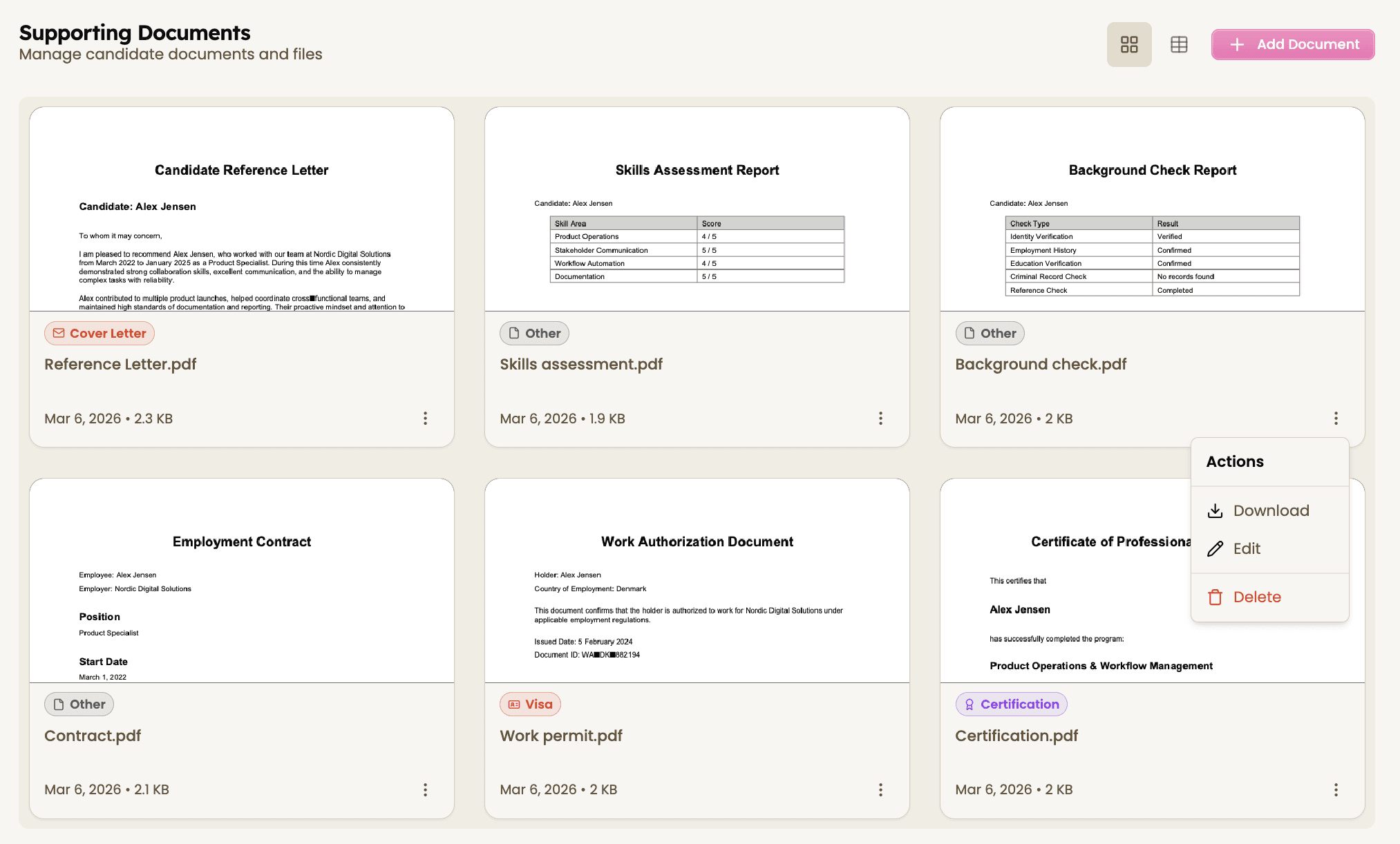
Review and manage
Open documents directly from the candidate profile, download them, or update files when new versions are available.
All supporting documents are stored with the candidate profile so your team can easily access them when needed.


Feeling stuck or unsure how to begin?
Our friendly support team is here to guide you through every step. Just drop us a line: support@happlicant.com