Candidates
Live
Capturing notes
Capture and manage candidate notes in one place. Keep feedback, client input, and interview insights organized inside your recruitment CRM.
Capturing notes feature review
Keeping track of interview feedback and client input is critical if you want to move quickly and make confident hiring decisions.
With Happlicant, you can capture notes directly inside each candidate profile. No need for separate documents, spreadsheets, or long email threads. Every piece of feedback stays linked to the right candidate, making it easy to review and act on.
Add notes after interviews, client calls, or internal discussions. Keep a clear record of what was said, what matters, and what comes next. This helps you stay consistent across roles and avoid missing important details.
When everything is stored in one place, your recruitment workflow becomes easier to manage. You can review feedback faster, align with clients more easily, and move candidates through the pipeline with confidence.
Clear, structured notes also improve collaboration. Whether you are working solo or with clients, everyone has access to the same information, which leads to better decisions and stronger placements.
Capturing notes key benefits
1
Centralized candidate notes
Store all interview feedback and client input inside each candidate profile. Keep everything easy to find and tied to the right role.
2
Faster hiring decisions
Review notes and feedback instantly without searching across tools. Make quicker, more confident placement decisions.
3
Better client collaboration
Keep feedback structured and easy to share. Align with clients and maintain a clear hiring process from start to finish.
Jump on a quick demo call to see how this, and many other features, can save you time and help you grow your agency.

FAQs
How do recruiters track interview feedback effectively?
Recruiters track interview feedback by storing notes directly within their recruitment CRM. Keeping feedback attached to each candidate profile makes it easier to review, compare, and act on insights.
What is the best way to organize candidate notes in recruitment?
The best way is to centralize all notes inside your ATS or CRM. This ensures every interview, client comment, and update is linked to the right candidate and easy to access.
Can I store client feedback and interview notes in one place?
Yes, Happlicant allows you to store both client feedback and interview notes within the same candidate profile, giving you a complete view of each candidate.
How do I add notes to a candidate profile?
Open the candidate profile and click “New Note” in the notes section. You can add and edit notes at any stage of the hiring process.
Are notes visible to clients?
Notes are internal by default. You can control what information is shared with clients through the platform or client portal.
Capturing notes: How-to guide
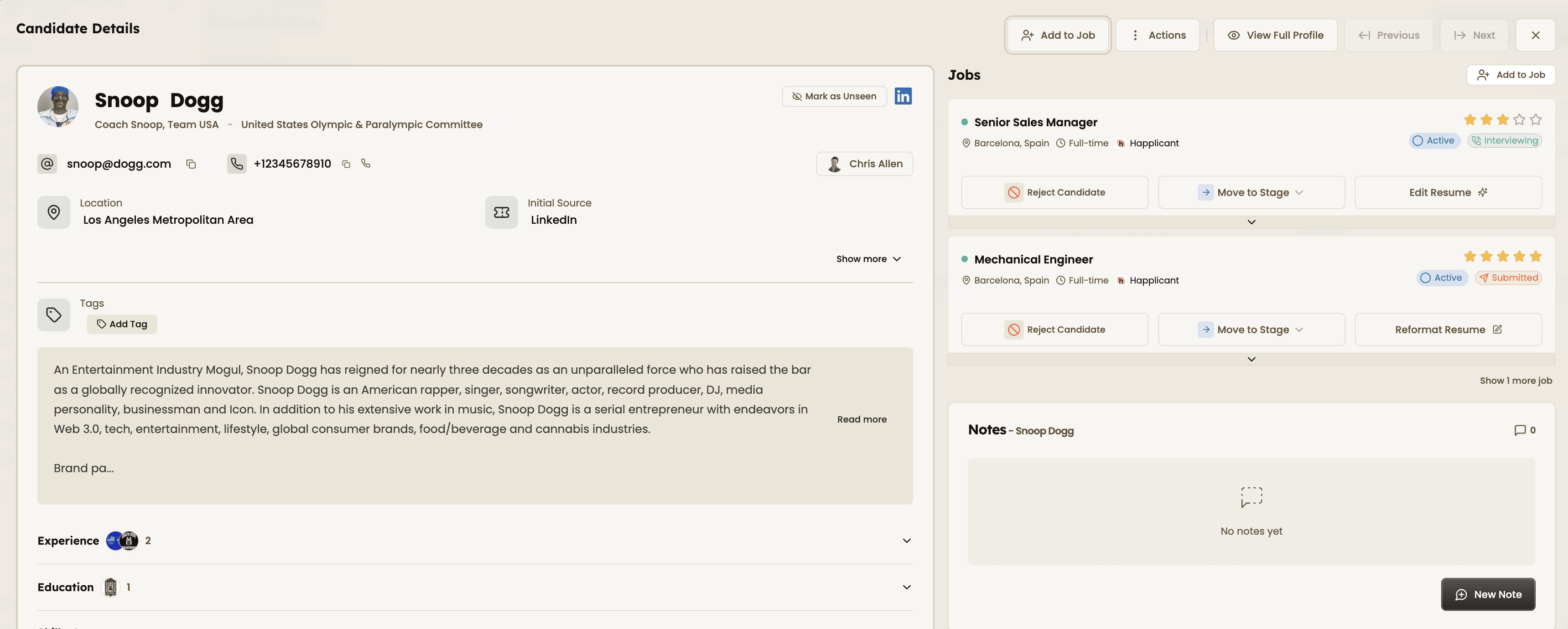
1. Open a candidate profile
Go to your Candidates list and select a candidate. This is where all notes, feedback, and activity will be stored.
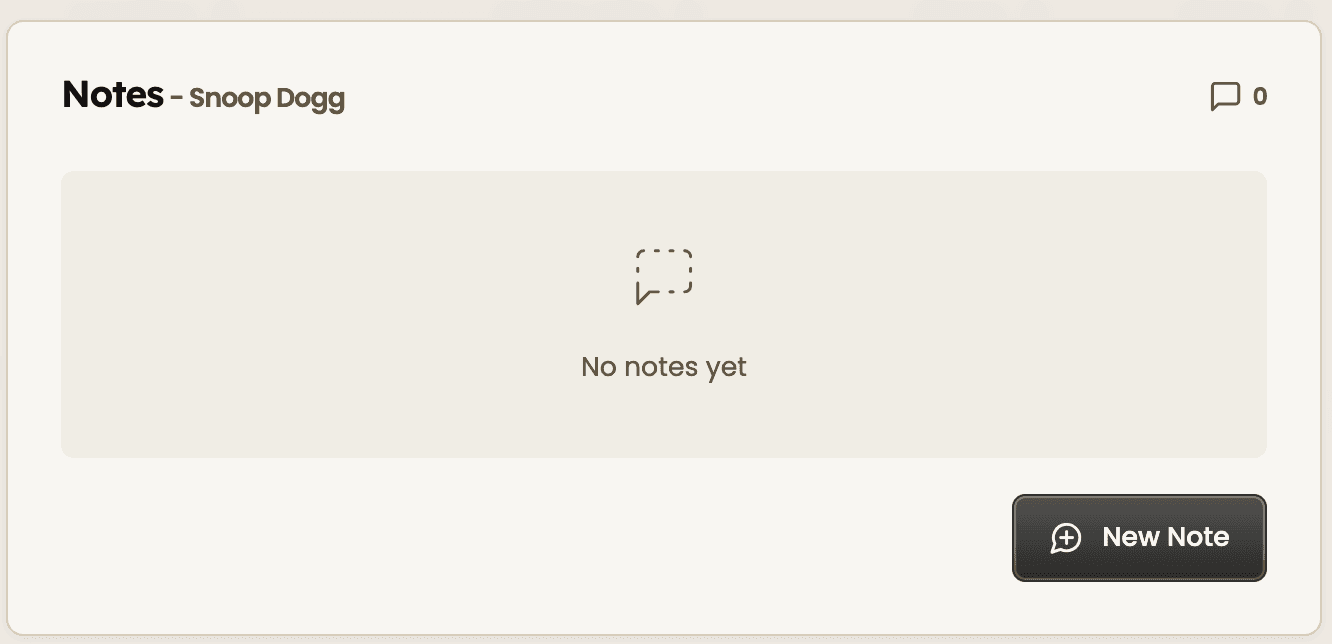
2. Add a new note
Click the “New Note” button in the notes section. This allows you to capture feedback from interviews, calls, or meetings.
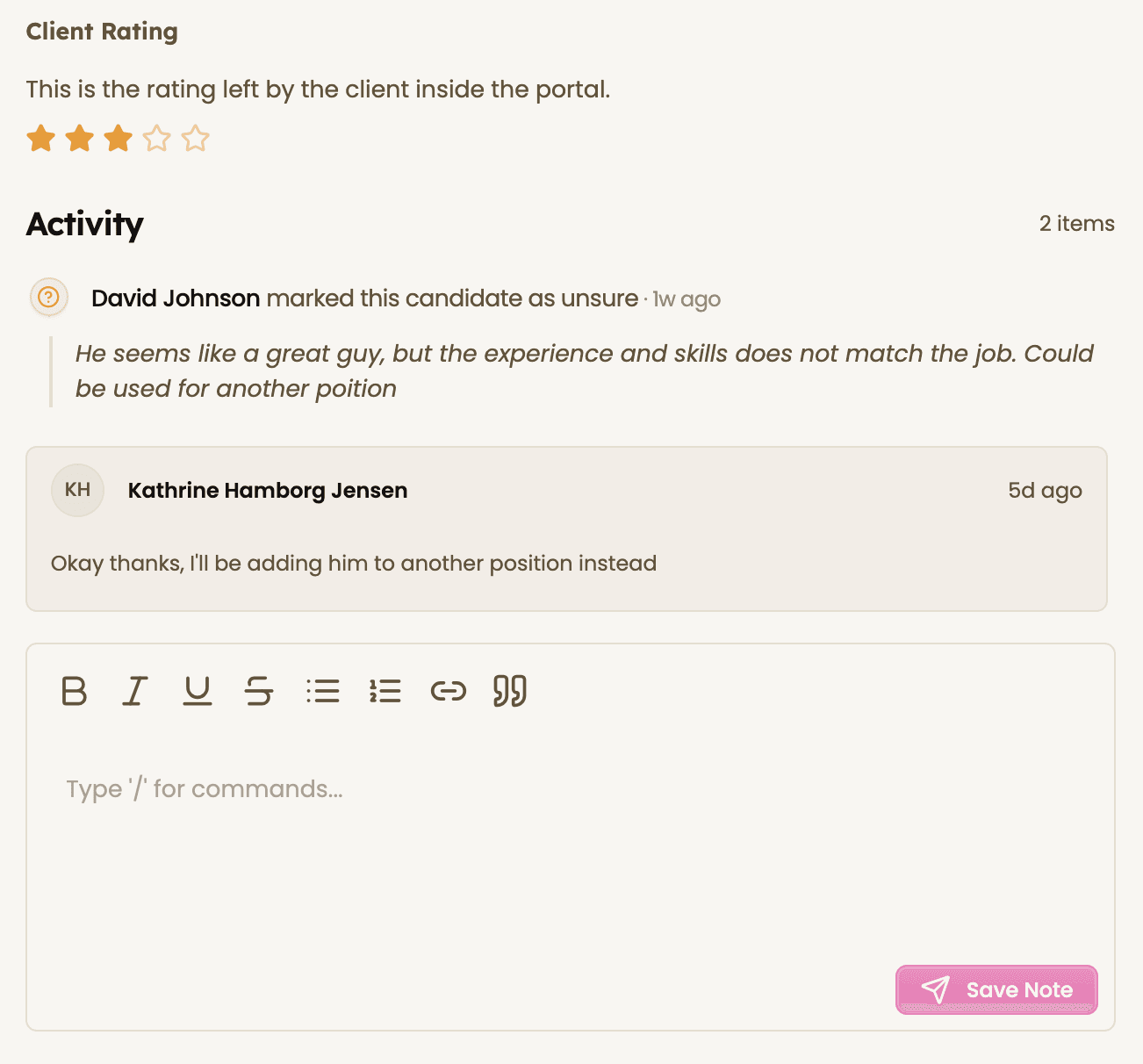
3. Capture interview or client feedback
Write down key takeaways, strengths, concerns, and next steps. Keep notes clear so you can quickly review them later.
4. Keep notes updated throughout the process
Add new notes after each interaction. This creates a full timeline of feedback and helps you stay organized across the hiring process.
Review client notes and feedback
See all past notes, client feedback, and activity in one timeline. This gives you full context before making decisions or adding new input.
Feeling stuck or unsure how to begin?
Our friendly support team is here to guide you through every step. Just drop us a line: support@happlicant.com