Candidates
Live
Automated events log
Stay on top of every detail with automated, filterable event logs for candidates, clients, and your entire business.
Automated events log feature review
Never miss a beat with Happlicant’s events log. Every email sent, status changed, note added, or stage moved is automatically tracked and time-stamped - giving you full visibility into every action taken across your recruitment workflow.
Whether you're looking at the global dashboard or drilling into a specific candidate or client, you'll see a clear, chronological view of all activity. Add custom events anytime to log offline interactions, calls, or anything else worth remembering.
If you have team members working alongside you, keep track of all actions to ensure you're in full control.
It’s your recruitment operations, fully documented - so you can focus on moving faster, following up smarter, and never losing track of what happened or when.
Automated events log key benefits
1
Automated activity tracking
Automate the tracking of every email, stage change, or update - keeping your CRM organized without the manual effort.
2
Gain full visibility
View a detailed activity timeline inside each candidate and client profile.
3
Add custom events
Need to add an events not automatically tracked? Add a custom event for offline meetings, calls, or touchpoints to maintain a complete picture of every relationship.
Jump on a quick demo call to see how this, and many other features, can save you time and help you grow your agency.

FAQs
What is the Events Log?
The Events Log is a timeline that automatically records important actions related to a candidate, such as stage changes, invitations, and profile updates.
Can I add my own events?
Yes. You can manually log events using Add custom event inside the candidate profile. This is useful for tracking phone calls, offline interviews, meetings, emails sent and any interaction that happens outside Happlicant.
Can my team see the events log?
Yes. If you work with team members, everyone with access to the candidate profile can view the events log.
Automated events log: How-to guide
View candidate activity
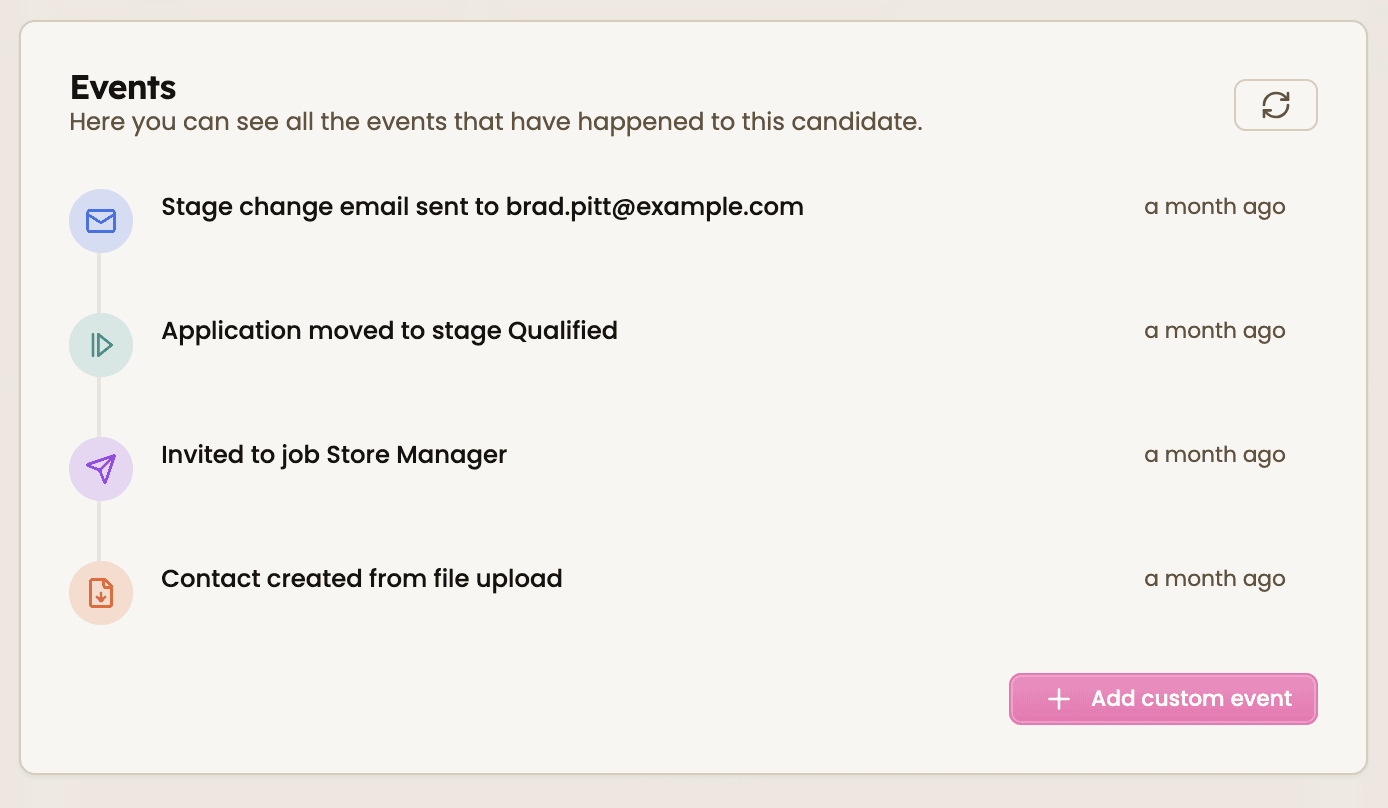
Happlicant automatically tracks important actions in every candidate profile so you always know what happened and when.
To view a candidate’s activity:
Open the candidate profile
Scroll to the Events section
Review the chronological timeline of activity
The events log records key updates such as:
When a candidate is added to your database
When a candidate is invited to apply
When an application stage changes
When notes or updates are added
Each event is automatically time-stamped, giving you a clear record of your recruitment activity.
Add custom events
Sometimes interactions happen outside the platform — like calls, meetings, or follow-ups.
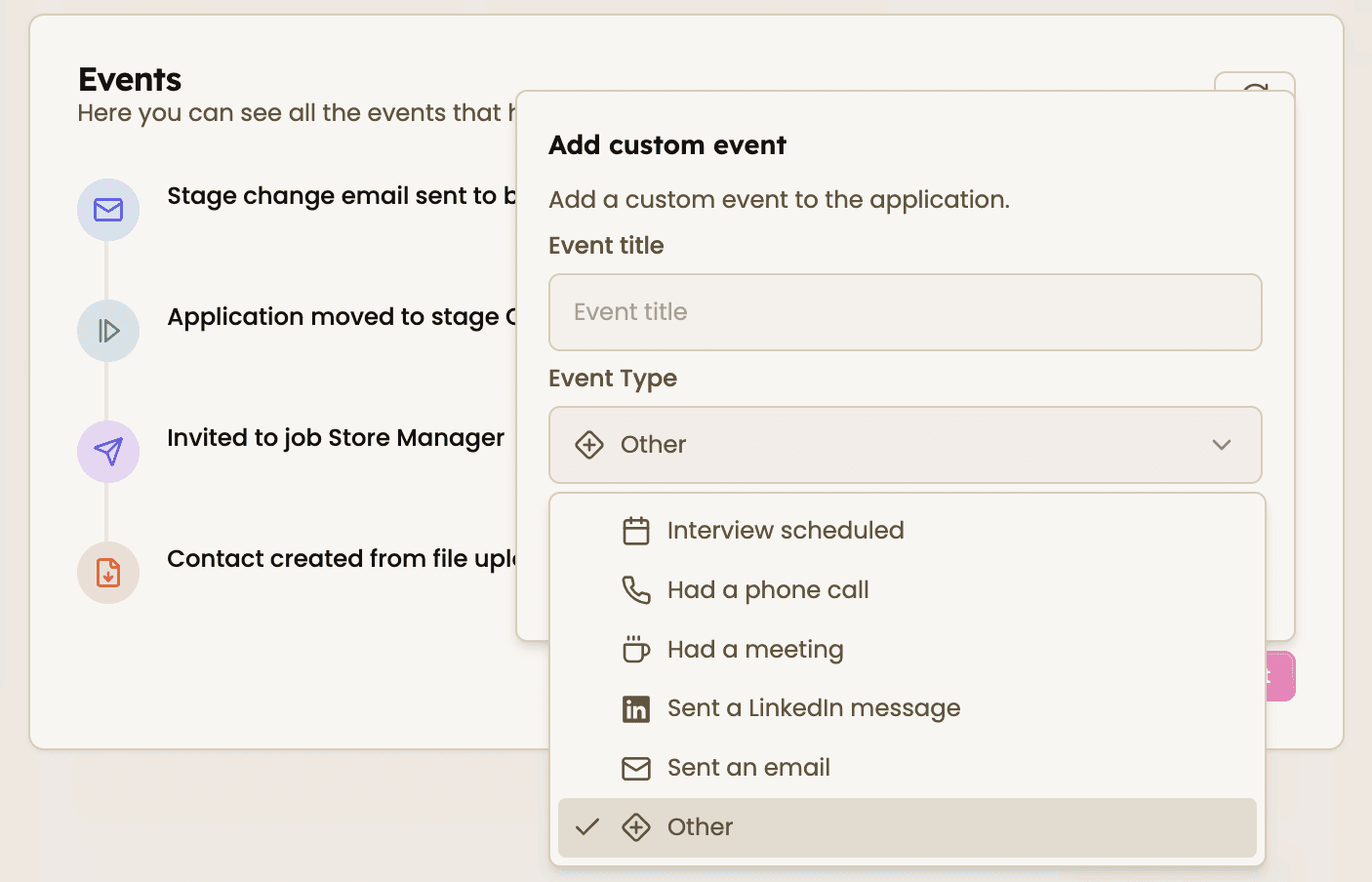
You can log these manually using Custom Events.
To add one:
Open the candidate profile
Scroll to the Events section
Click Add custom event
Enter a short description of the interaction
Save the event
This allows you to track:
Phone calls
Client updates
Interviews outside the system
Networking conversations
Any important touchpoint
Adding custom events helps you maintain a complete timeline of every relationship.
Feeling stuck or unsure how to begin?
Our friendly support team is here to guide you through every step. Just drop us a line: support@happlicant.com